
NGINX ModSecurity
This guide is maintained for Ruk-Com PaaS. Screens and options may vary by platform version and account permissions.
Confirm the environment, region and account permissions, and back up current settings before changing a production system.
Objective
This guide explains how to use NGINX ModSecurity on Ruk-Com Cloud PaaS, with ordered procedures and practical verification points.
Before you begin
- Sign in with an account permitted to manage the relevant environment.
- Confirm the target environment, region and resources before saving changes.
- Create a backup or rollback plan before changing a production system.
ModSecurityIt is an open source cross-platform web application firewall (WAF) module that helps in detecting and preventing various attacks against web applications. This module can block common code injection attacks. This ensures a higher level of server security. It comes with a set of rules for cross website scripting, SQL injection, bad user agents, session hijacking, Trojans, and other exploits.
Ruk-Com Cloud certified NGINX stacks (application servers and load balancers) come with pre-built ModSecurity modules. You can follow just a few steps to enable this functionality on your container:
1. Load the ModSecurity shared NGINX module by uncommenting the next line in the file./etc/nginx/nginx.conf:
#load_module modules/ngx_http_modsecurity_module.so;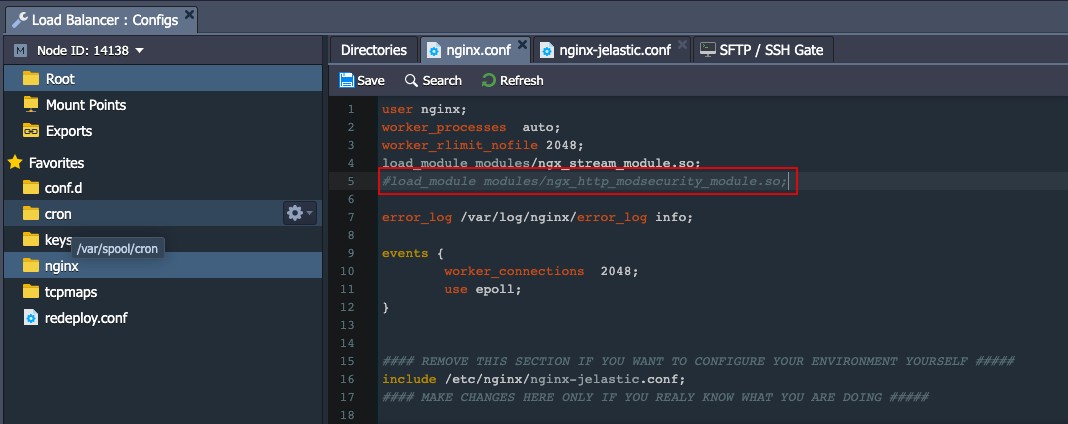
SaveChanges to the file
2. Then enable the functionModSecurityBy uncommenting the following lines in the configuration./etc/nginx/nginx.confSame for the NGINX application server stack (or/etc/nginx/nginx-Ruk-Com PaaS.conffor the load balancer, as in our case)
#modsecurity on;
#modsecurity_rules_file /etc/nginx/conf.d/modsecurity/modsec_includes.conf;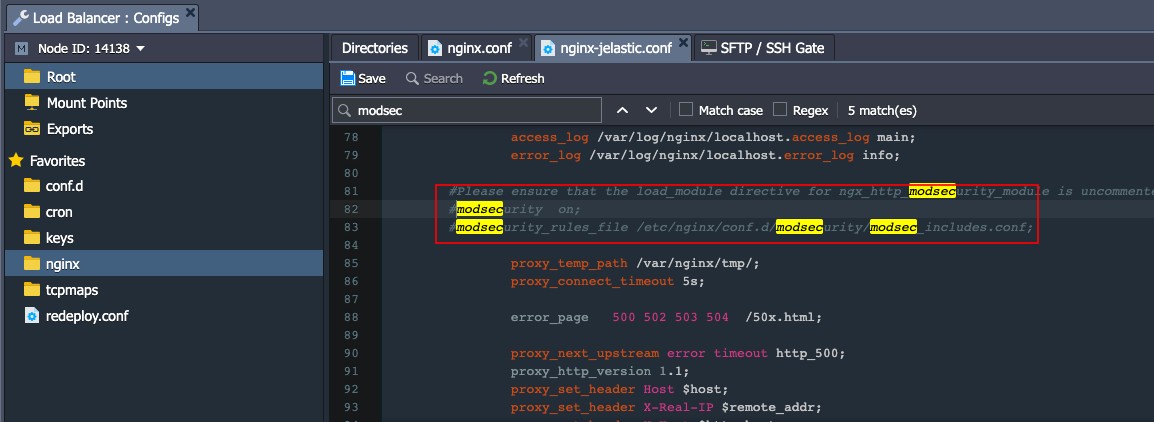
Tips:
You can use the Search box to quickly find the string you are looking for.
Don't forgetSaveFile after modification
3. According to configuration/etc/nginx/conf.d/modsecurity/modsec_includes.conf OWASP ModSecurity Core Rule Set (CRS)It is included by default. (Provides general protection from unknown vulnerabilities commonly found in web applications)
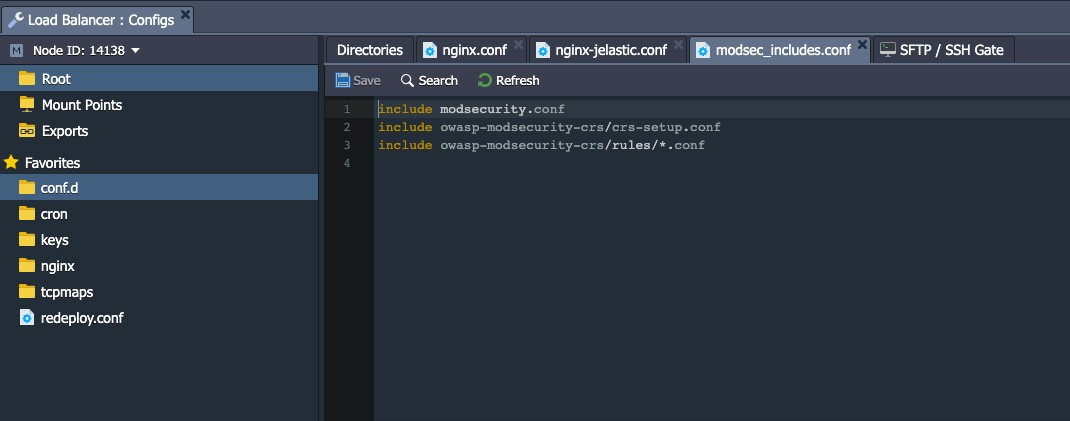
Additionally, if necessary, you can upload your custom rules as a file.*.confgo to folder/etc/nginx/conf.d/modsecurity/owasp-modsecurity-crs/rules
4. Restart the appropriate NGINX node to apply all implemented customizations.
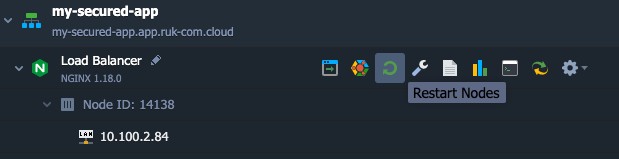
Your application is now protected with ModSecurity.
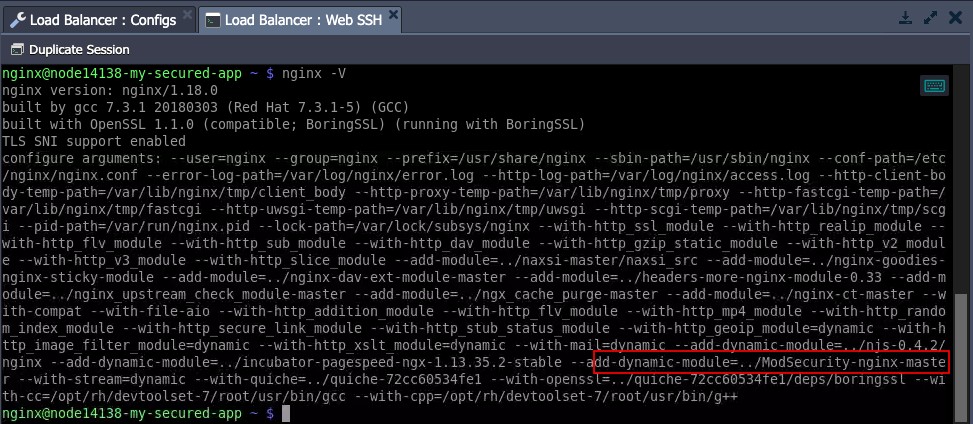
5. You can verify that it is loaded by executing the nginx -V command on the node (e.g. viaWeb SSH) and looking for the ModSecurity module in the list.
5. You can verify that it is loaded by executing the commandnginx -Von the node (e.g. throughWeb SSH) and search for the ModSecurity module in the list.
6. The behavior of ModSecurity can be verified by simulating an attack on your application. For example, try adding the string
/?q="><script>alert(1)</script>In your Environment domain, if the module works as intended, the page should be displayed.403 error pageand appropriate action logged in the error log file:
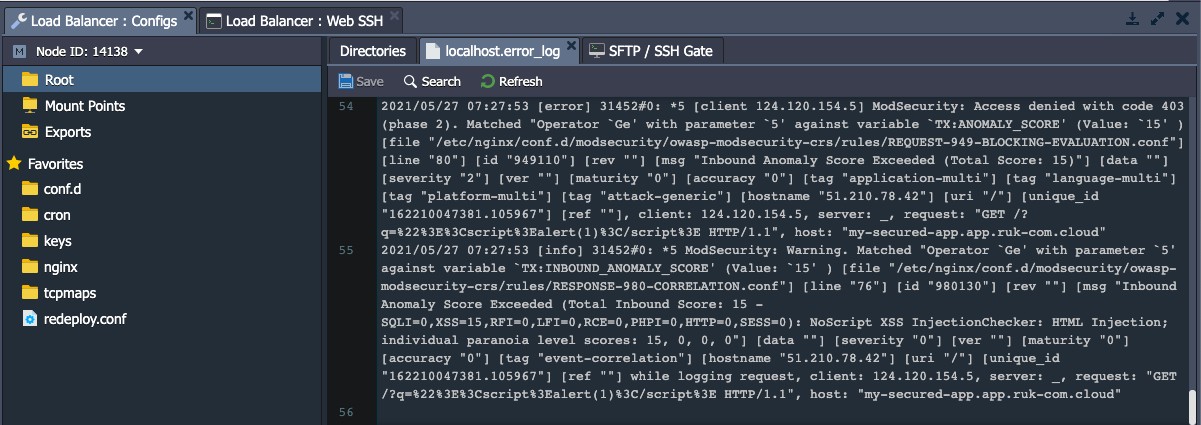
As you can seeModSecurityReady to work to keep your web applications secure