
Basic Concepts and Terminology
This guide is maintained for Ruk-Com PaaS. Screens and options may vary by platform version and account permissions.
Confirm the environment, region and account permissions, and back up current settings before changing a production system.
Objective
This guide explains how to use Basic Concepts and Terminology on Ruk-Com Cloud PaaS, with ordered procedures and practical verification points.
Before you begin
- Sign in with an account permitted to manage the relevant environment.
- Confirm the target environment, region and resources before saving changes.
- Create a backup or rollback plan before changing a production system.
This topic provides an overview of the basic concepts of Ruk-Com Cloud, that we are a Public Cloud service provider that provides services in the form of a Platform as a Service. The user group that will choose to use our platform is suitable for system administrators (SysAdmin), software developers (Developers) and DevOps.
The Ruk-Com Cloud platform is powered by the technology ofRuk-Com PaaS Multi Cloud Platformwhich consists of the following parts:
- Cloudlet
- Container
- Layer
- Environment
- Application
- Host
- Environment Region
- Multi-Cloud Installation (Platform)
With each part interconnected and working together, you will be able to design complex systems if you understand all these basics.
Cloudlet
A Cloudlet is the smallest unit of resource in our system. A Cloudlet consists of:
- Memory (RAM) size 128MB
- Processing power (CPU) speed 400MHz
Designing small resource units like this Make the system able Allocate resources flexibly and accurately Suitable for all types of workloads, especially in cloud systems that require flexibility.
Cloudlet Highlights:
- Cost-Effective: Allows you to select only the resources that are needed in each environment.
- Pay as you go: Usage-based pricing means users don't have to pay for resources they don't actually use (usage-based pricing)
- Expandable as needed: When you need more processing power or memory The number of Cloudlets can be increased immediately and automatically. (Auto-scaling)
Using Cloudlet helps manage the cost of the Cloud system with maximum efficiency. It's suitable for both beginners and organizations looking to balance budget control and performance.
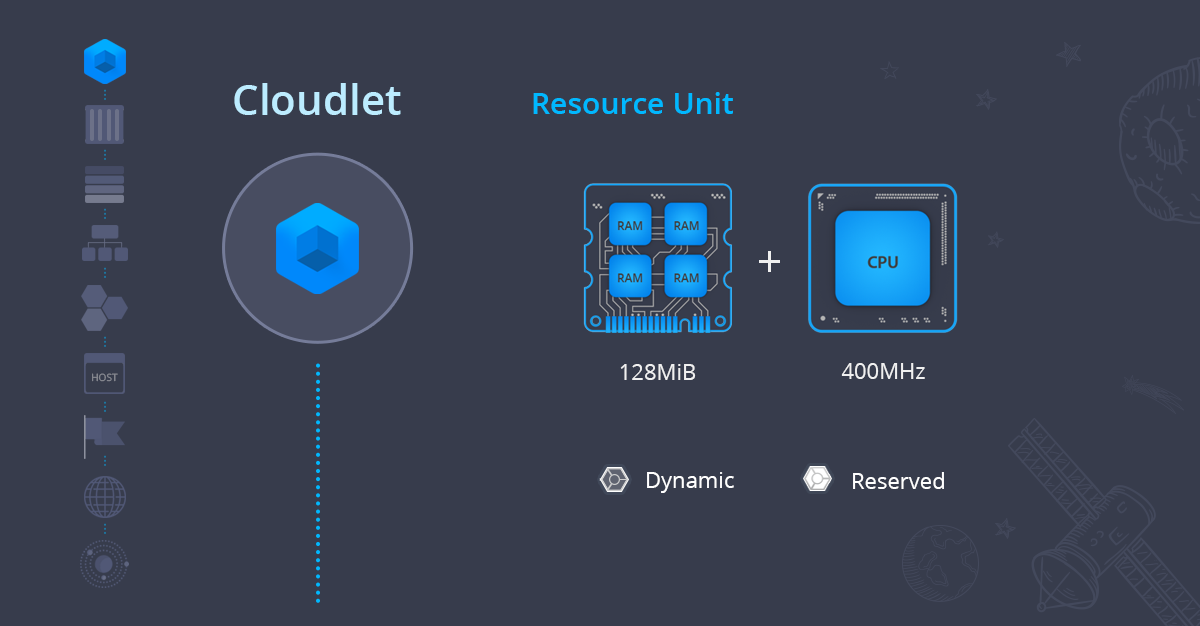
As for Cloudlet on Ruk-Com Cloud, it is divided into 2 types as follows:
- Reserved Cloudletsis to reserve resources for instances by calculating the amount of resources used by users themselves and paying a fixed fee. The price of each Cloudlet is cheaper than Dynamic, suitable for tasks that use static resources such as A general website with the same amount of visitors all the time and analyzed from the Monitor shows that it uses about 256Mb of memory. It can create an instance with 2 Cloudlets reserved for use.
- Dynamic CloudletsThat is, Cloudlets are automatically increased and decreased according to the actual use of the application. (It will be added automatically when there is a lot of usage. and will automatically decrease when traffic is low) Dynamic Cloudlets are recommended for applications where traffic load cannot be predicted in advance. and will ensure that the cost is calculated according to the actual use of the resource. We can also set a maximum amount to expand Cloudlet to control spending (scale limit).
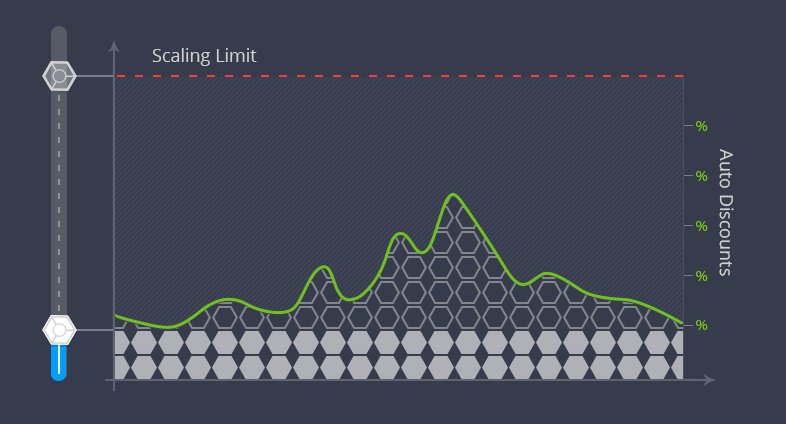
Cloudlet's usage is calculated from two parts: Memory and CPU, and if more than one unit is used, the system will calculate them together. For example: Your system uses 2400 MHz CPU (6 Cloudlets) and 1024Mb Memory (8 Cloudlets). In this hour you will pay for 8 Cloudlets.
Both Dynamic and Reserved Cloudlets have an automatic discount system if they are used in large numbers.
Container
ContainerOr we can call within the platform a node, which is a simulation of virtual resources used for installing the Application Stack, such as application servers, databases, load balancers, in each Container.hostOnce again, each Container can automatically expand and decrease in size both ways.verticalandhorizontalThis makes the application truly flexible.
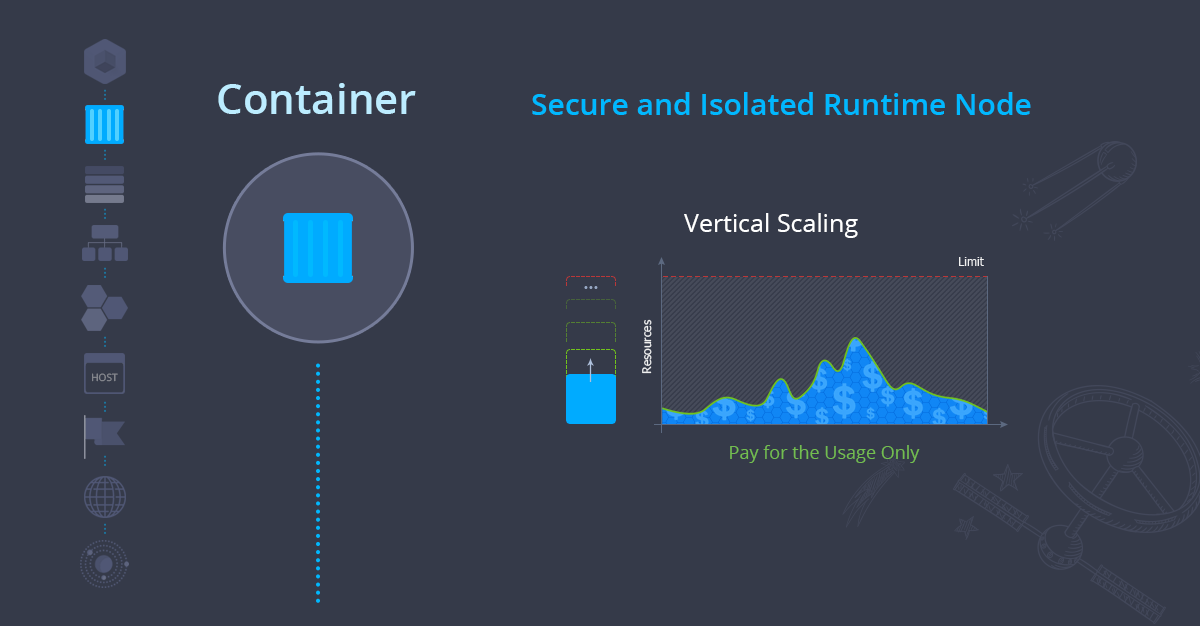
Ruk-Com Cloud has inspected every container before providing service to customers in terms of Performance and Security for Java, PHP, Ruby, Node.js, Python, Go,.NET, including being able to use Docker Container on the platform. Each Container will automatically have a private IP and DNS Record for every Container. In the case that users want to use Public IP, they can enable it throughDashboardorAPIYou can also do it yourself.
Layer
In the Layer section, also known as Node Group or a group of Containers in the same Env that work the same way. To be able to see the images in each layer, we recommend looking through them.topology wizardThe types of each layer are classified as follows:
- load balancer (LB)
- compute (CP)
- database (DB)
- data storage (DS)
- сache
- VPS
- build node
- extra (can design the Layer yourself based on using Env forDocker-based)
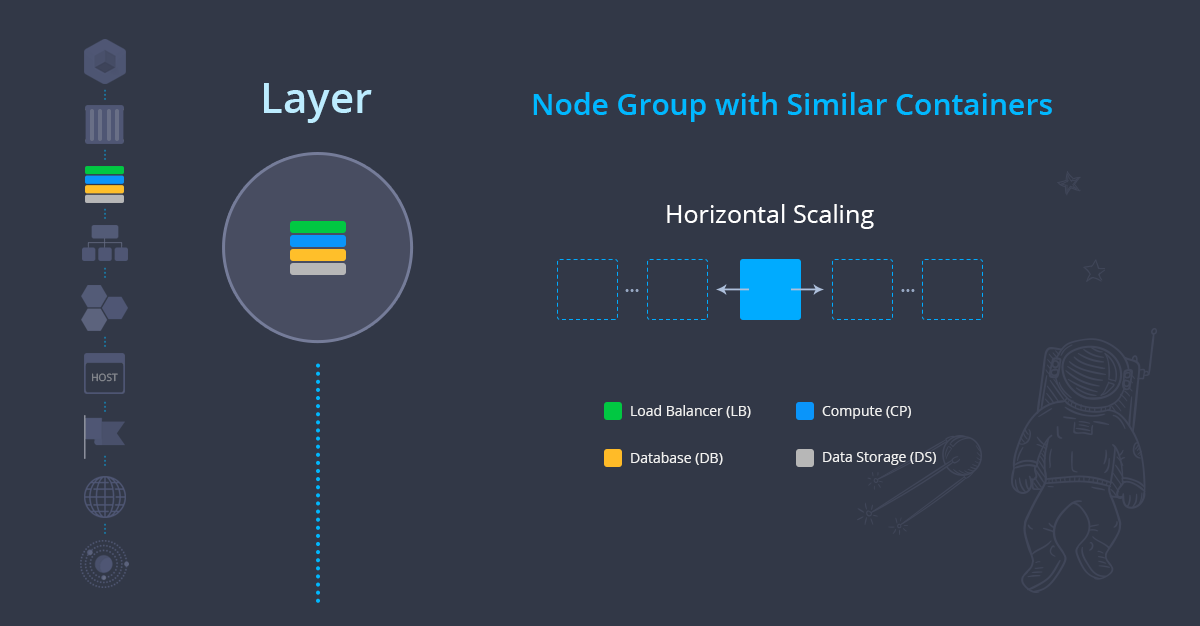
The Layer section is designed to group tasks of the same type to make it easier to expand the system (horizontal) and management, such as if you want to restart or deploy, it will not affect other unrelated parts. In addition, you can check the usage status of each layer and edit the system configuration through the file manager at the same time via the Dashboard.
In the case of systems that require HA (high availability) to increase system stability Expanding horizontally in each layer automatically creates containers that store data on different physical hosts.
Environment
Environment, or in the platform we will call it Env for short, is a grouping of Containers into separate projects to be called a Service or Project name. In the Ruk-Com Cloud platform, there are convenient tools that help you manage Env easily, for example, managing Configuration, Monitoring, Troubleshooting, and others.
You can perform various operations with Env such as stop, start, clone, migrate to another Datacenter, share to team to collaborate (collaborative work), you can check resource usage separately by viewing the entire Env or viewing each Container individually, which can be done as well.
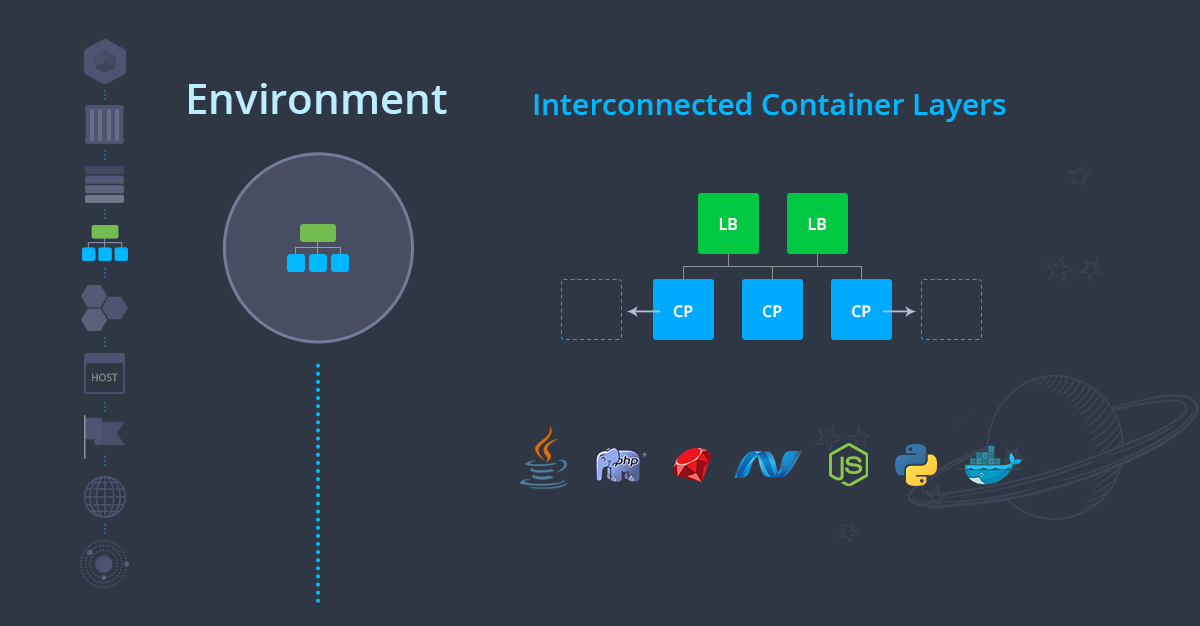
Every Env will have its own Domain name which will be a Sub Domain of Ruk-Com Cloud for use as a reference. and used for testing work If you want to change your domain name to your own, you can do it easily by just settingCNAME or A recordMoreover, you can switch Domain to Env with the menu.swappedJust this, traffic coming in through the Domain name will be sent to each Env independently.
Application
Is the working together of Env to work in 1 project, where the Application can work in the same Env or separately in the form of a Micro Service, such as Web Server + Database Server. Both of these components we create in the same Env or separately will call this group of Envs called 1 Application.
Very complex applications should have separate Env and Topology for ease of management and maintenance. Such as a system designed as a Micro Service, etc.
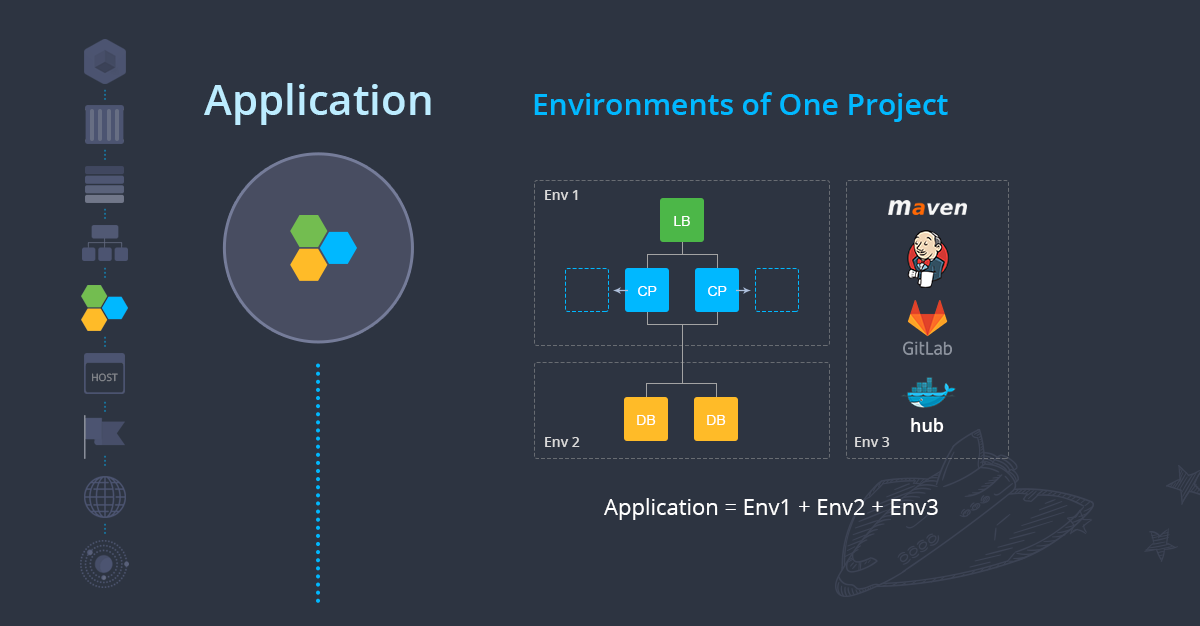
The platform supports both source code applications such as PHP, NodeJS, Ruby and binary file formats such as Java, Golang. You will study how to deploy each language and types of deployment in the next chapters.
Host
A large group of servers in the form of physical or virtual machines that Ruk-Com Cloud maintains, used for running containers to run various applications.
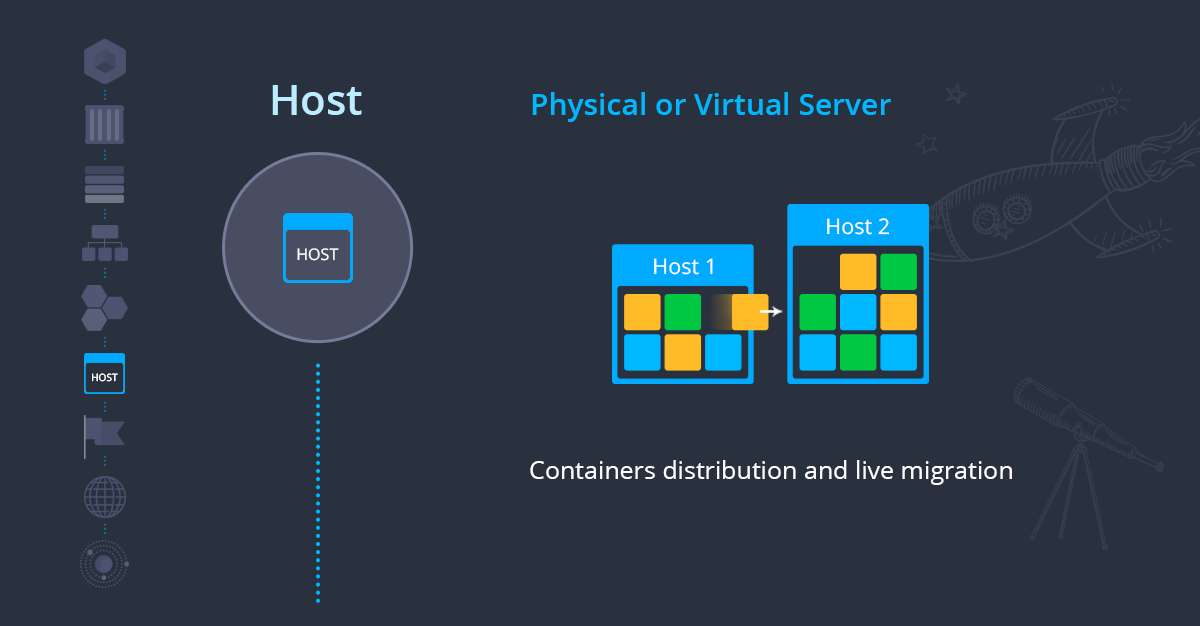
Ruk-Com Cloud has a resource management system and a system for distributing containers to various hosts appropriately, ensuring that jobs running on Ruk-Com Cloud will receive the resources guaranteed in each Cloudlet accurately and accurately.
Environment Region
A group of hosts that are connected together to form a cluster for each network.
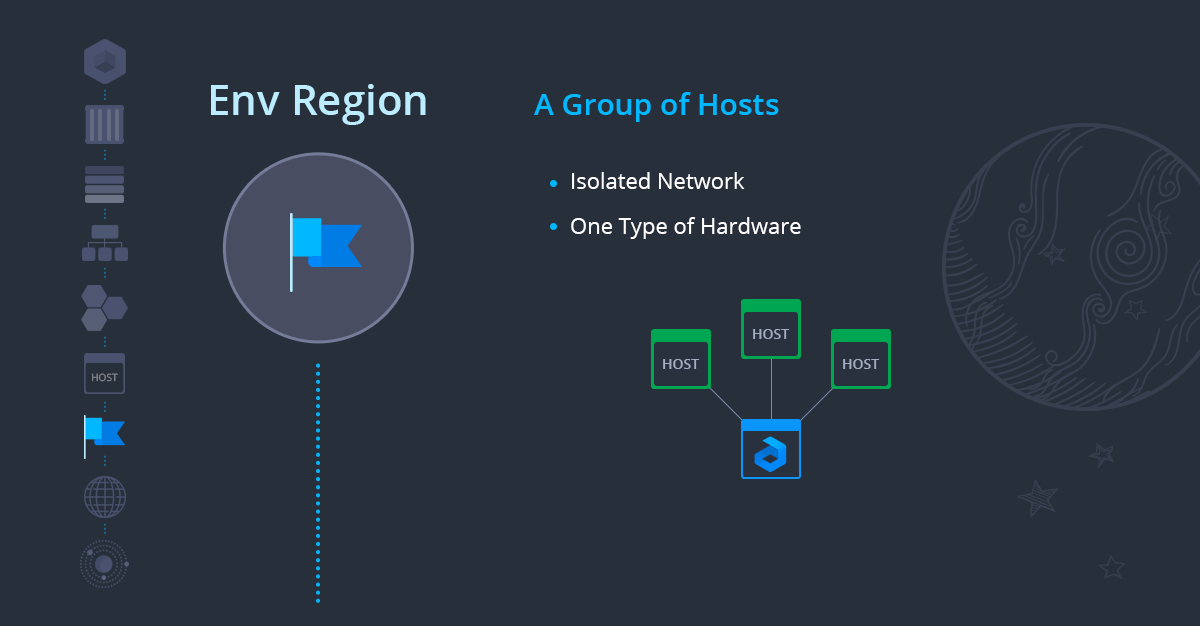
Each Environment Region has its own Datacenter which you select before creating an Env. Each Region has its own Public IP, Private IP and resource prices. Additionally, you can manually move Envs across Regions via the menu.migrationAlso
Multi-Cloud Installation
It is a group of Environment Regions that are in different Network Clusters or Datacenters, which can be managed through the Dashboard of Ruk-Com Cloud. You can select the Region and Datacenter you want by yourself. The price of each Region is different according to your needs.
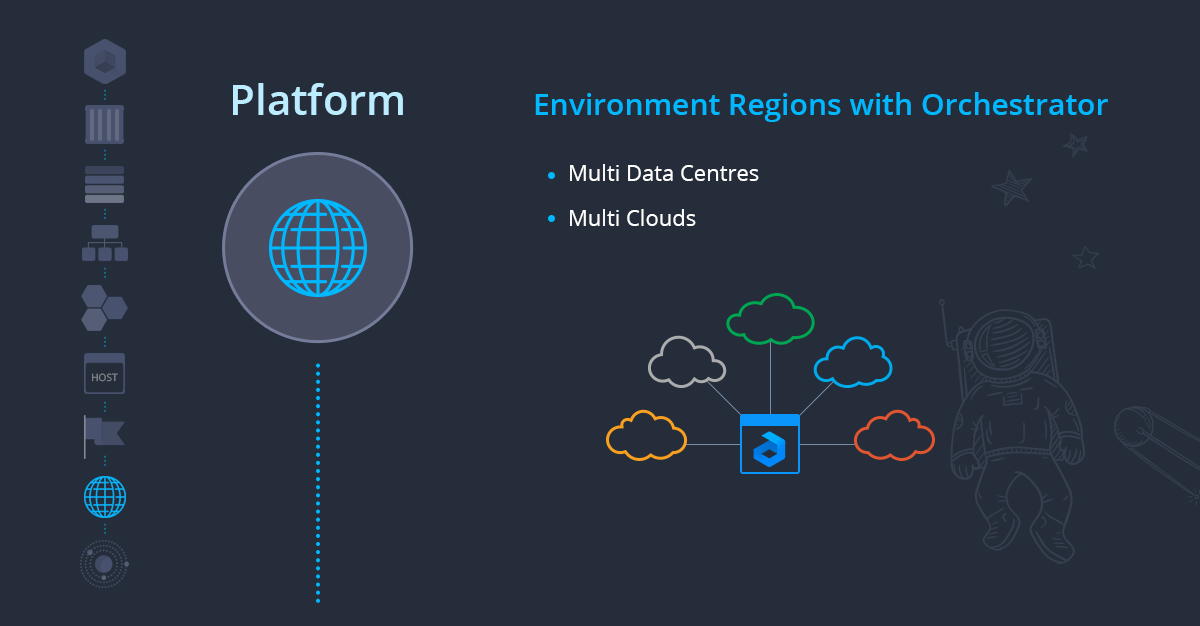
Currently, Ruk-Com Cloud can deploy applications in many countries such as Thailand, Singapore, Japan, France and can also choose a Datacenter freely such as CSLoxinfo, CAT Telecom, Bangmod, Proen, Google Cloud, Amazon Aws, each of which is a Network Provider without Vendor lock-in. Can move between them freely in case of wanting to move a Datacenter.