
Composer Dependency Manager
This guide is maintained for Ruk-Com PaaS. Screens and options may vary by platform version and account permissions.
Confirm the environment, region and account permissions, and back up current settings before changing a production system.

Composer is one of PHP’s most popular dependency management tools inspired by the node’s npm and ruby’s bundler. It will smartly manage all the required libraries and packages for your application. Running on a per-project basis, Composer determines which versions of which packages your project depends on and installs them in a working directory. Moreover, this tool provides the autoload feature to keep your packages up-to-date.
The Composer is integrated into all PHP application servers (Apache, NGINX, LiteSpeed, LEMP, and LSSMP) by default. It is installed to the /usr/local/bin folder, which is added to the PATH variable, making Composer operable from anywhere on the node via the composer shortcut (e.g., composer about). Additionally, if the project has a composer.json file, Composer can manage dependencies directly during the installation using the Post-Deployhook script. All you need to do is move to your project directory and run the composer install command:
Copy
cd $WEBROOT/{project_name}
composer install
Composer Update
You are automatically provided with the latest version of Composer during the node creation. However, if a newer version of Composer is released, you can easily get it without the necessity of recreating a whole container. Follow the next steps to install the latest composer version into your PHP container:
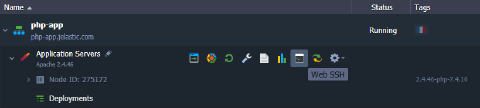
- Connect to the appropriate node via SSH. For example, using the built-in Web SSH.
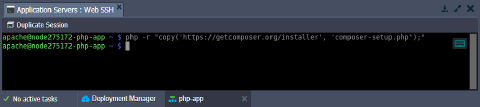
 2. Download Composer installer with the following command:
Copy
php -r "copy('https://getcomposer.org/installer', 'composer-setup.php');"
 3. Install Composer into the current directory.
Copy
php composer-setup.php --install-dir=./ --filename=composer
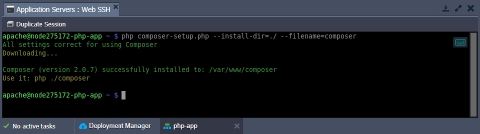
Tip: If needed, you can move to the required directory before the operation or adjust the path via the install-dir parameter. However, you cannot install to the /usr/local/bin/ directory with the initial Composer instance.
- Let’s run this local version of the Composer (i.e., using relative or absolute path) to ensure that everything works as expected. For example:
Copy
./composer about
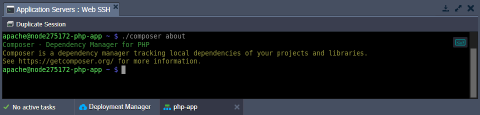
Tip: If the dependency manager works fine, we recommend removing the installer (as it’s not needed anymore).
Copy
php -r "unlink('composer-setup.php');"
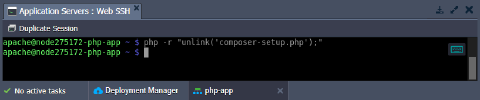
That’s all! The latest version of the Composer is successfully installed and is ready for use.