
Auto-Clustering of Instances via Topology Wizard
This guide is maintained for Ruk-Com PaaS. Screens and options may vary by platform version and account permissions.
Confirm the environment, region and account permissions, and back up current settings before changing a production system.
Objective
This guide explains how to use Auto-Clustering of Instances via Topology Wizard on Ruk-Com Cloud PaaS, with ordered procedures and practical verification points.
Before you begin
- Sign in with an account permitted to manage the relevant environment.
- Confirm the target environment, region and resources before saving changes.
- Create a backup or rollback plan before changing a production system.
Ruk-Com Cloud PaaS provides automatic grouping according to the needs of template management. Automation simplifies and speeds up the creation of reliable, production-ready project clusters.
In the sections below we cover the following topics:
- Stack support (specifically for clustering)
- Automated cluster management
- Using cloud scripting
Templates that support automatic clustering
The following templates currently support the newly added clustering feature. (with stacks to be added in the future):
- Application servers-Tomcat/TomEE,GlassFish,Payara,Jenkins,WildFly
- SQL databases-MySQL,MariaDB,PostgreSQL
- NoSQL database-Couchbase,MongoDB
- Storage server-Shared Storage Container
Tips:Your hosting provider can configure and use automatic clustering for some additional stacks not defined in the list.
Tomcat/TomEE
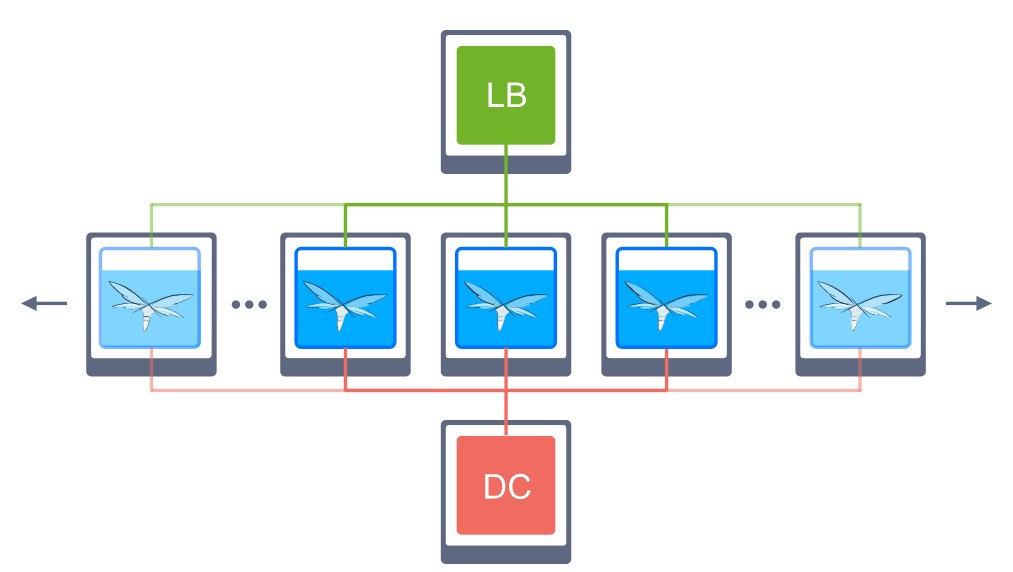
A highly available Tomcat/TomEE cluster can balance load across compute nodes to increase performance and resiliency. Providing session replication, context attribute replication, and WAR file deployment across the cluster.
More:FeaturesAuto-ClusteringFor Tomcat and TomEE the following stack versions are available:
Tomcat- 10.0.5; 9.0.45; 8.5.64; 7.0.108
TomEE- 9.0.0-M3; 8.0.5
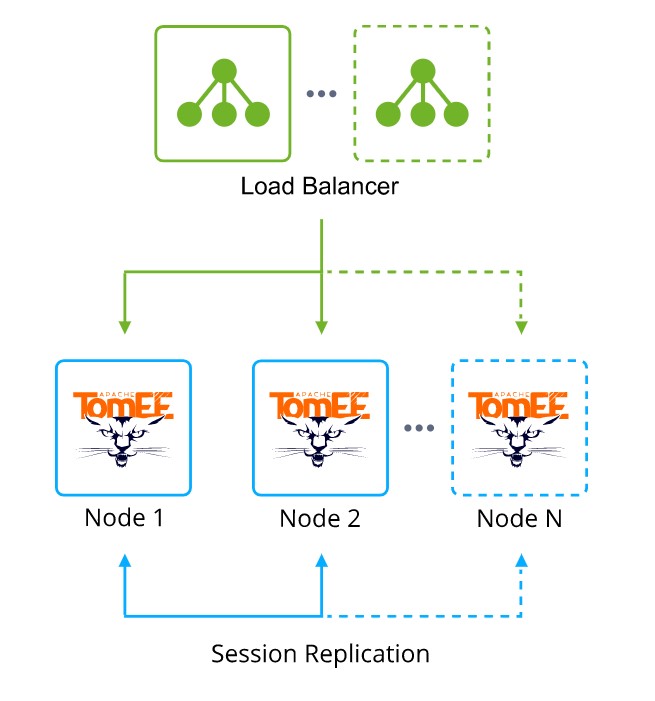
Learn more about Tomcat/TomEE >>
GlassFish
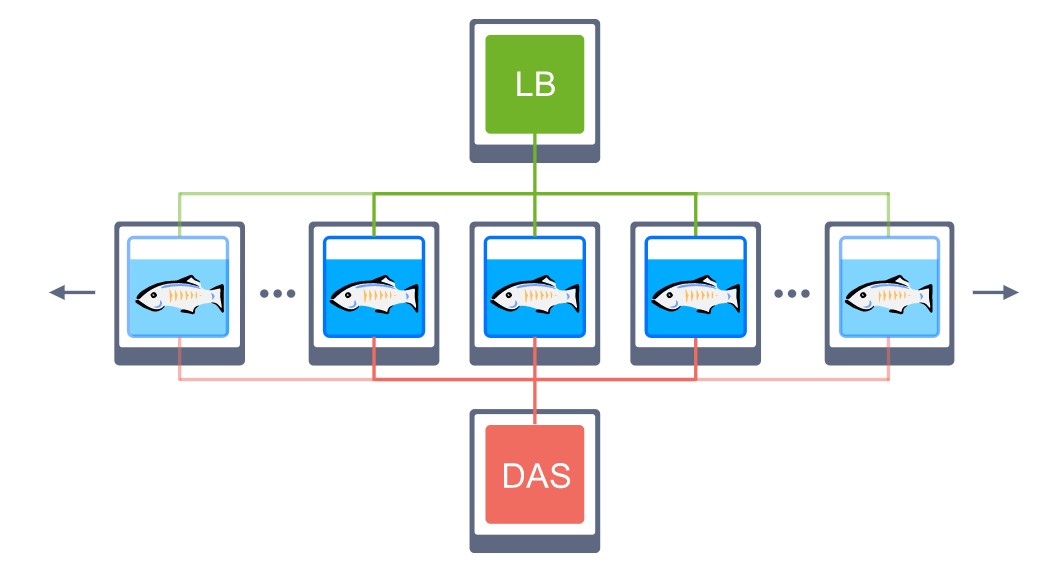
Connection between GlassFish servers with pre-configured session replication and load balancing.
Payara
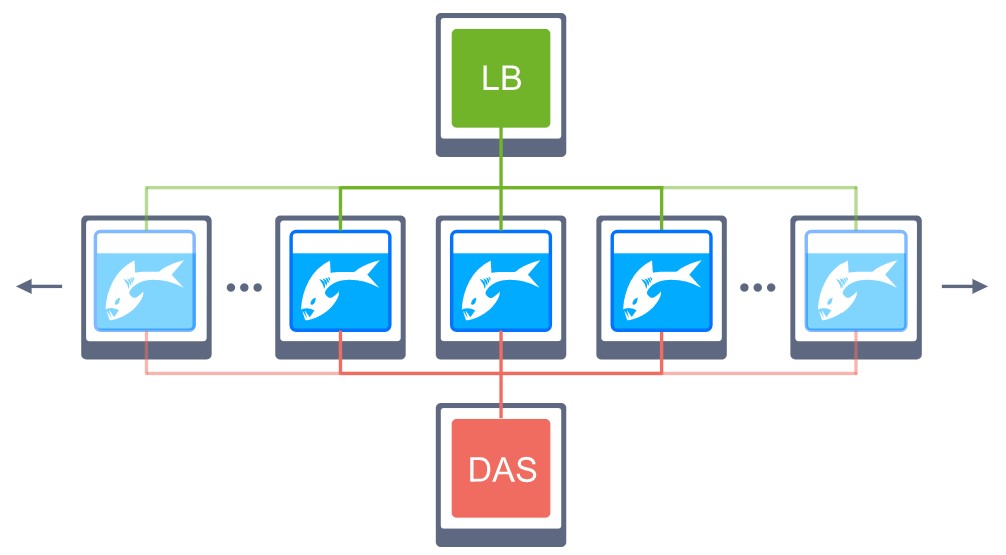
Connection between Payara servers with pre-configured session replication and load balancing.
Jenkins
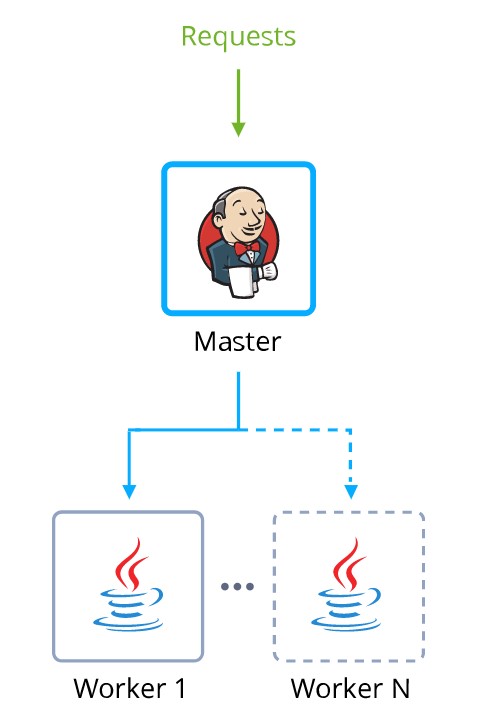
Master Jenkins node in master-slave mode that automatically scales Java Engine users and pre-installed plug-ins to support automated creation and deployment for establishing continuous integration (CI) and continuous delivery (CD) pipelines.
WildFly
WildFly nodes in domain mode enable clustering to provide high availability and ensure continuous performance of Java EE deployed applications.
MySQL
Automatic clustering is provided for MySQL versions.5.7.xand8.xonly
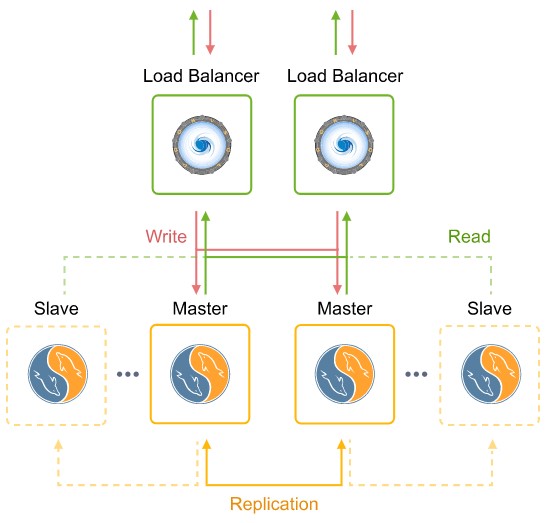
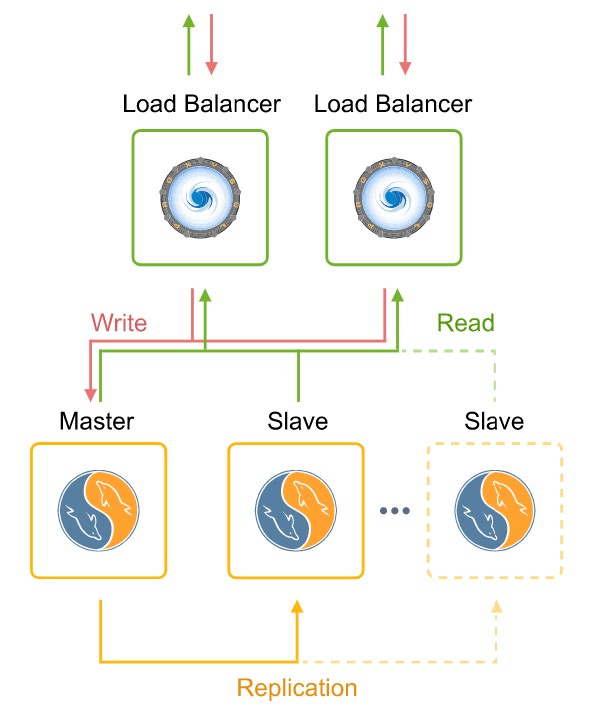
Automatic database clustering with pre-configured replication and automatic node discovery You can choose from the following plans according to your desired type:
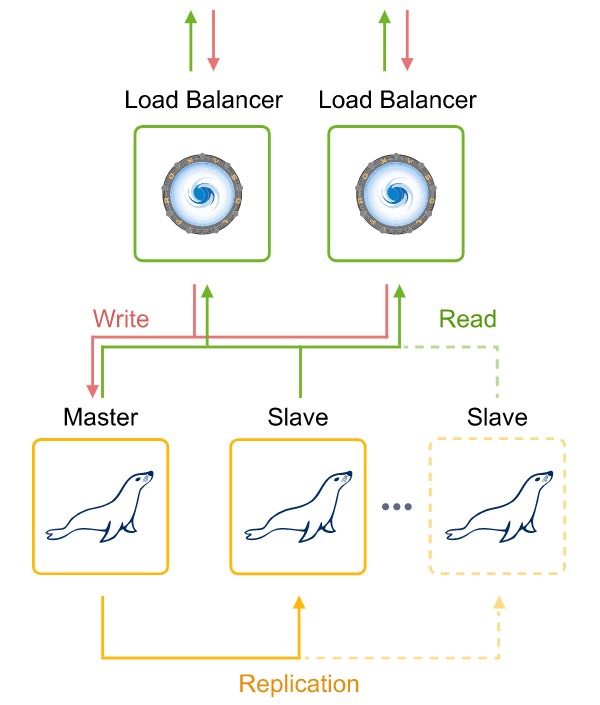
- Master-Masterwith Extra Slaves
Pre-configured replication with two connected master databases. During horizontal scaling, the cluster expands with additional slave nodes.
- Master-Slavewith Extra Slaves
Pre-configured replication with 1 master and 1 slave database. During horizontal scaling, the cluster expands with additional slave nodes.
MariaDB
Automatic clustering is provided for MariaDB versions.10.xonly
Automatic database clustering with pre-configured replication and automatic node discovery You can choose from the following plans according to your desired type:
- Master-Masterwith Extra Slaves
Pre-configured replication with two connected master databases. During horizontal scaling, the cluster expands with additional slave nodes.
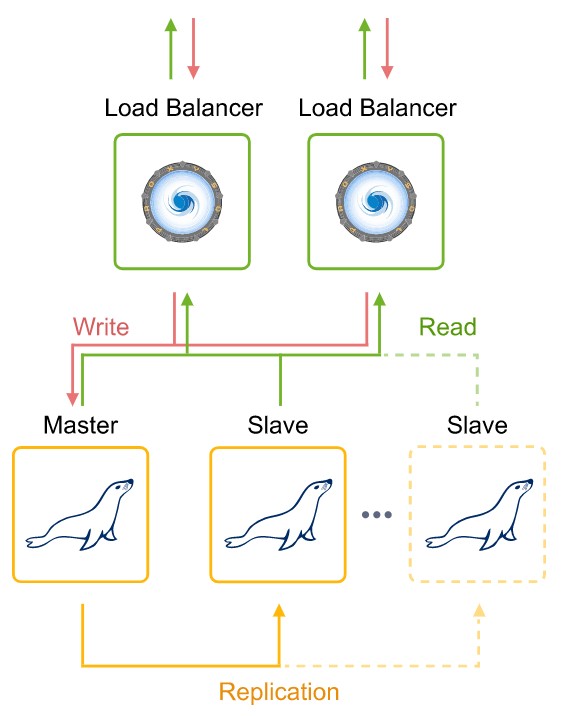
- Master-Slavewith Extra Slaves
Pre-configured replication with 1 master and 1 slave database. During horizontal scaling, the cluster expands with additional slave nodes.
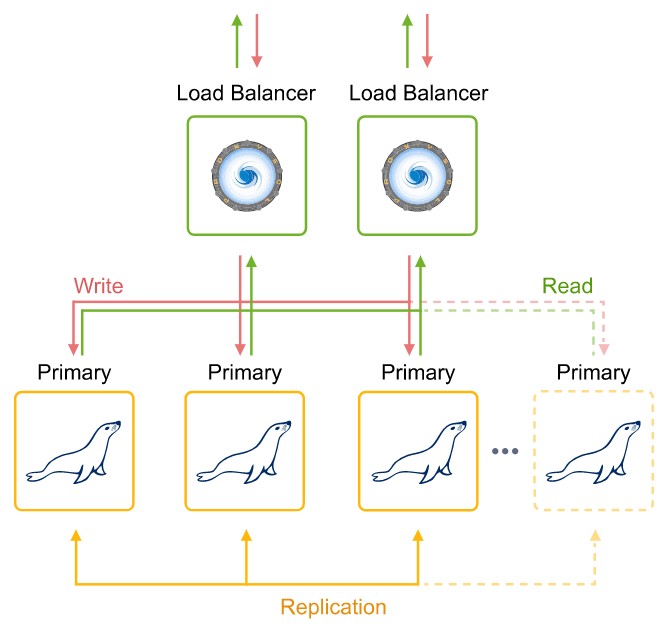
- GaleraCluster
All servers can accept updates even if they are released at the same time.
PostgreSQL
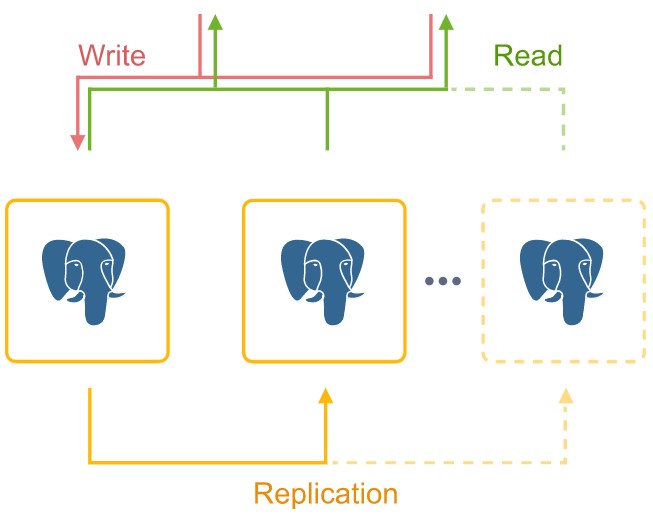
Pre-configured PostgreSQL database cluster with asynchronous master-slave replication and automatic addition of new nodes to the cluster (slaves).
Learn more about PostgreSQL >>
Couchbase
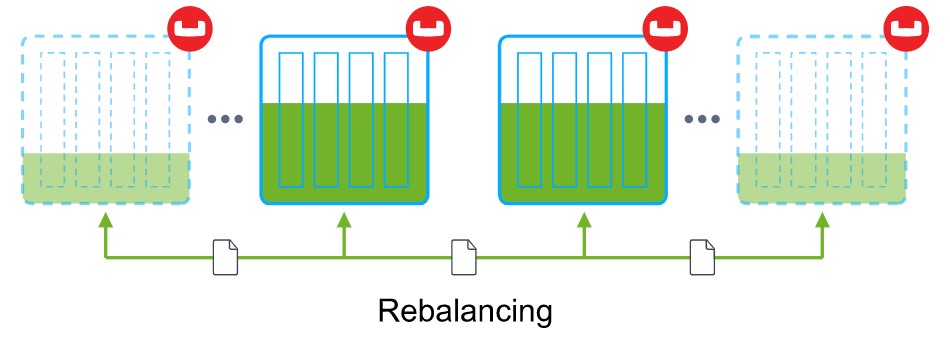
Auto-connected Couchbase servers with automatic scaling and rebalancing to provide a single, highly available storage system.
MongoDB
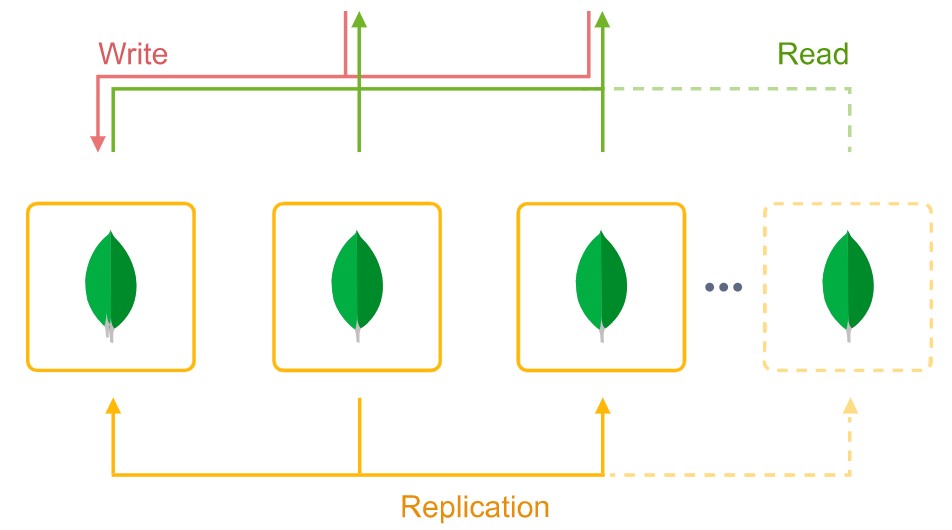
Automatic configuration of a highly available and reliable MongoDB replica set with automatic discovery of new nodes.
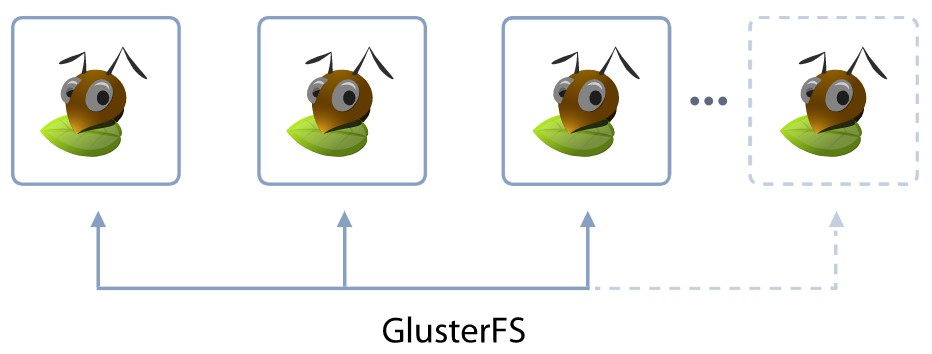
Shared Storage Container
Automatically configured and reliable storage clusters (replicated volumes) based on the solution.Glusterwhich guarantees data security In the event of one or more node failures, the AutoFS client automatically switches to the running instance. Makes storage space highly available
Learn more about Shared Storage Container >>
Automated cluster management
1. Auto-Clustering feature This can be enabled for node groups via the ON/OFF toggle button in the middle of the topology wizard (if available for the selected stack).

- Tips:Auto-clustering options depend on the specific application.
- Activation command (forCouchbase database)

- Some additional settings (such as cluster scheme and ProxySQL load balancer for MySQL database)
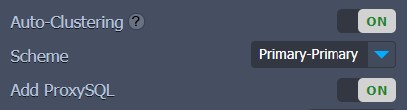
- Limiting the minimum and maximum number of nodes and scaling mode (e.g. for MariaDB Galera types)

2. More information about the cluster to be created. You can mouse over the question mark next to Auto-Clustering Within the appropriate pop-up frame you will see a short description which will contain the topology diagram.
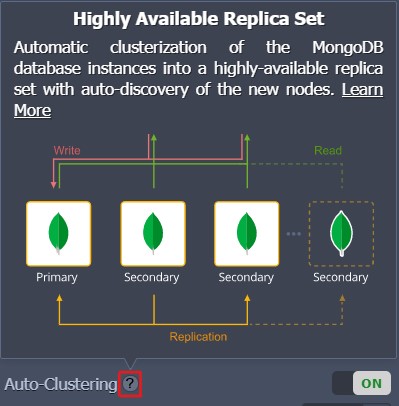
Tips:More information about database cluster types can be found by hovering over the appropriate Scheme: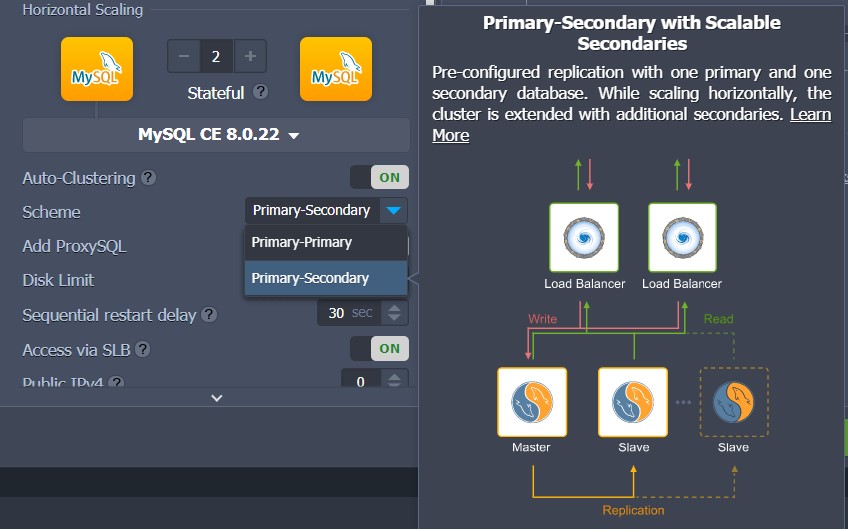
3. Other settings Can be configured like any other environment.
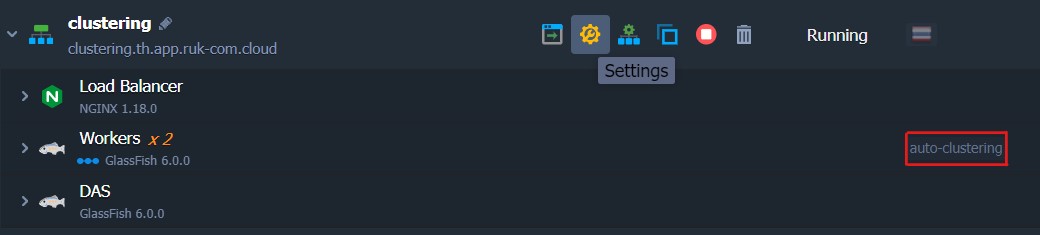
Note:Once configured, automatic clustering cannot be disabled from the topology wizard.
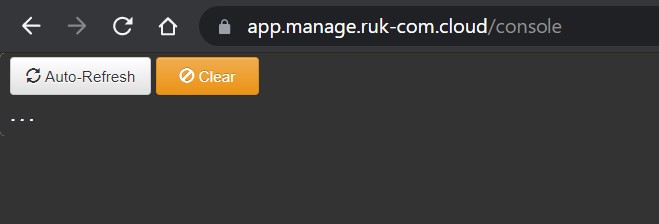
You can trace cluster configuration logs through the platform console:
https://app.{platformDomain}/console
Automated cluster setup with Cloud Scripting
To configure automatic cluster settings in JPS solutions you can use the new cluster properties, for example:
1. Enable or disable automatic clustering for a specific layer.
"nodeGroup": "couchbase",
"cluster": true | false
2. Additional parameters for automatic clustering can be specified in the following way. (For example, select database cluster scheme):
"nodeGroup": "mysql",
"cluster": {
  "scheme": "master"
}
3. If necessary JPSmanifestThe default clustering steps are available that can be replaced with custom ones:
"nodeGroup": "mysql",
"cluster": {
 "jps": "http://.../custom-manifest.jps",
 "settings": {
   "scheme": "master"
 }
}
4. Depending on the needs of the particular cluster, topology restrictions (e.g. minimum/maximum number of nodes) may be required. Scaling mode, etc.) is carried out through the verification feature.
This parameter can specify a package for any JPS, for example check out the YAML example below:
type: install
name: Validation
nodes:
 image: alpine
 nodeGroup: cp
 count: 2
 validation:
   minCount: 2
   maxCount: 3
   scalingMode: stateful
That's all you can use. easily auto-clustering solutions supported by Ruk-Com Cloud