
Root Access
This guide is maintained for Ruk-Com PaaS. Screens and options may vary by platform version and account permissions.
Confirm the environment, region and account permissions, and back up current settings before changing a production system.
Objective
This guide explains how to use Root Access on Ruk-Com Cloud PaaS, with ordered procedures and practical verification points.
Before you begin
- Sign in with an account permitted to manage the relevant environment.
- Confirm the target environment, region and resources before saving changes.
- Create a backup or rollback plan before changing a production system.
This plugin gives you root access, which means you can perform various actions independently.
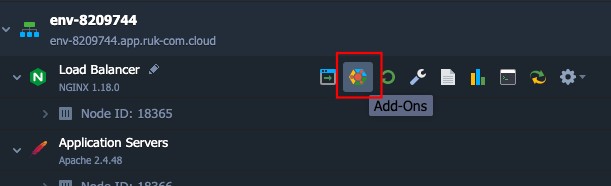
1. Click on the Add-Ons icon for that node.
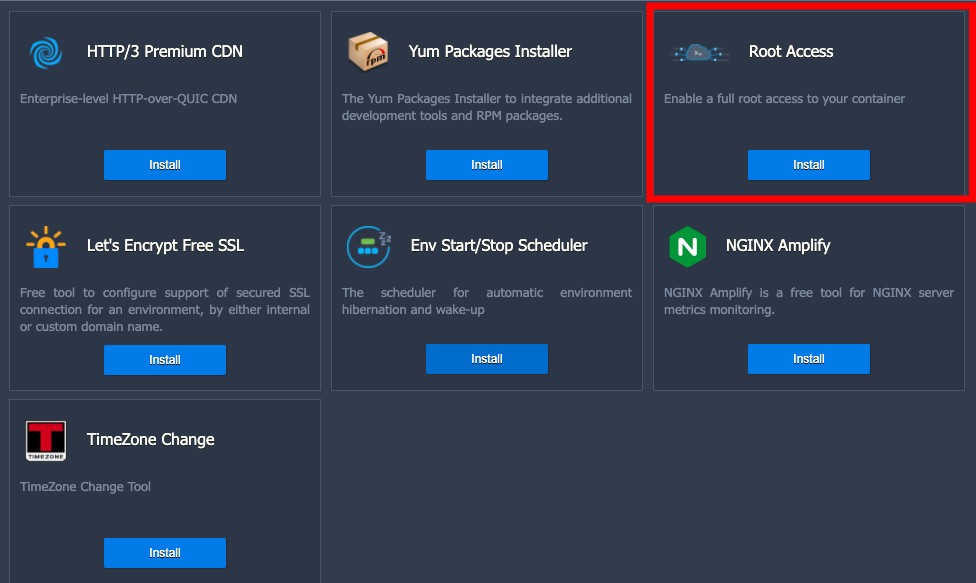
2. Press the install button on the Root Access plugin.
3. A popup will appear to confirm the installation after the installation is complete. You can gain administrator (root) privileges through the menu.Web SSHThen type the commandsudo suto change to root user
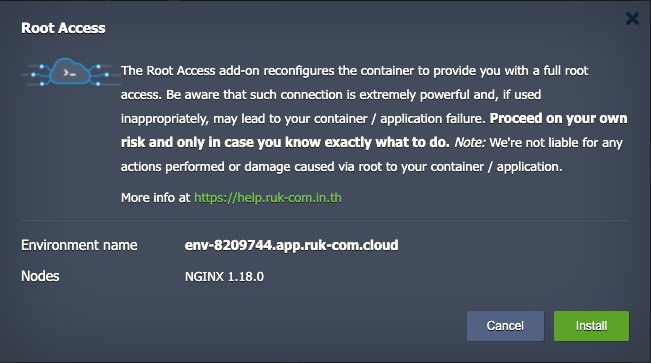
Note:After installing Root Access, various actions that occur after this We are not responsible for any actions or damages that occur.