
Certified Container Deployment
This guide is maintained for Ruk-Com PaaS. Screens and options may vary by platform version and account permissions.
Confirm the environment, region and account permissions, and back up current settings before changing a production system.
Objective
This guide explains how to use Certified Container Deployment on Ruk-Com Cloud PaaS, with ordered procedures and practical verification points.
Before you begin
- Sign in with an account permitted to manage the relevant environment.
- Confirm the target environment, region and resources before saving changes.
- Create a backup or rollback plan before changing a production system.
The Ruk-Com Cloud platform provides the most popular software stack. This is a preset method. and has a quick and convenient installation arrangement All certified containers are thoroughly tested and optimized within the Ruk-Com Cloud platform, with regular software customizations and updates and additional software integrations. (e.g. automatic optimization based on given resources, automatic SSL certificate installation and application installation,Automated clusteringetc.)
1. Qualified container installation is carried out throughtopology wizardthat can be opened by clicking the buttonNew Environment

2. Clicking on New Environment will display a program bar to choose from according to the user's preferred language (Java, PHP, Ruby,.NET, Node.js or Python).

3. All approved containers are added to the topology wizard (left side). Stacks are grouped according to purpose as follows:
- Load Balancers- The working stack is the starting point for the environment to distribute based on incoming requests and create load on other nodes.
- Application Servers (compute nodes)- A web server that runs on user applications.
- Databases (SQL & NoSQL)- database solution for storing and managing data
- Cache Node- Memcached system stores data in memory, reducing the load on the database to increase the speed of web applications.
- Shared Storage- Dedicated storage nodes support NFSv4, expanding disk space. and best performance
- Elastic VPS- Virtual private server CentOS, Ubuntu, Debian and Windows OS
- Build Node- Automation tools for Java
- Extra (custom layers) - stacks all of the above.
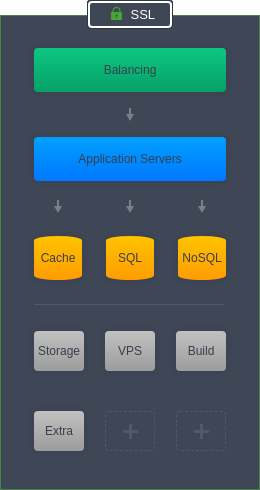
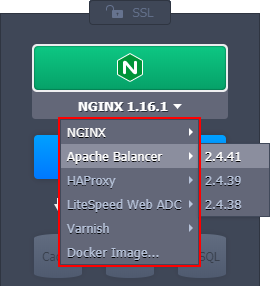
Ruk-Com Cloud PaaS provides multiple certified containers for each of your needs within the environment topology. Simply clicking a section will reveal popular solution options. For example, Load Balancers will be displayed through the following options:
5. You canConfigureof nodes that can be added For example, horizontal/vertical scaling, disk limits, public IPs, etc. can be adjusted through the central wizard. Verified containers have additional options such as automatic grouping (Auto-Clustering)
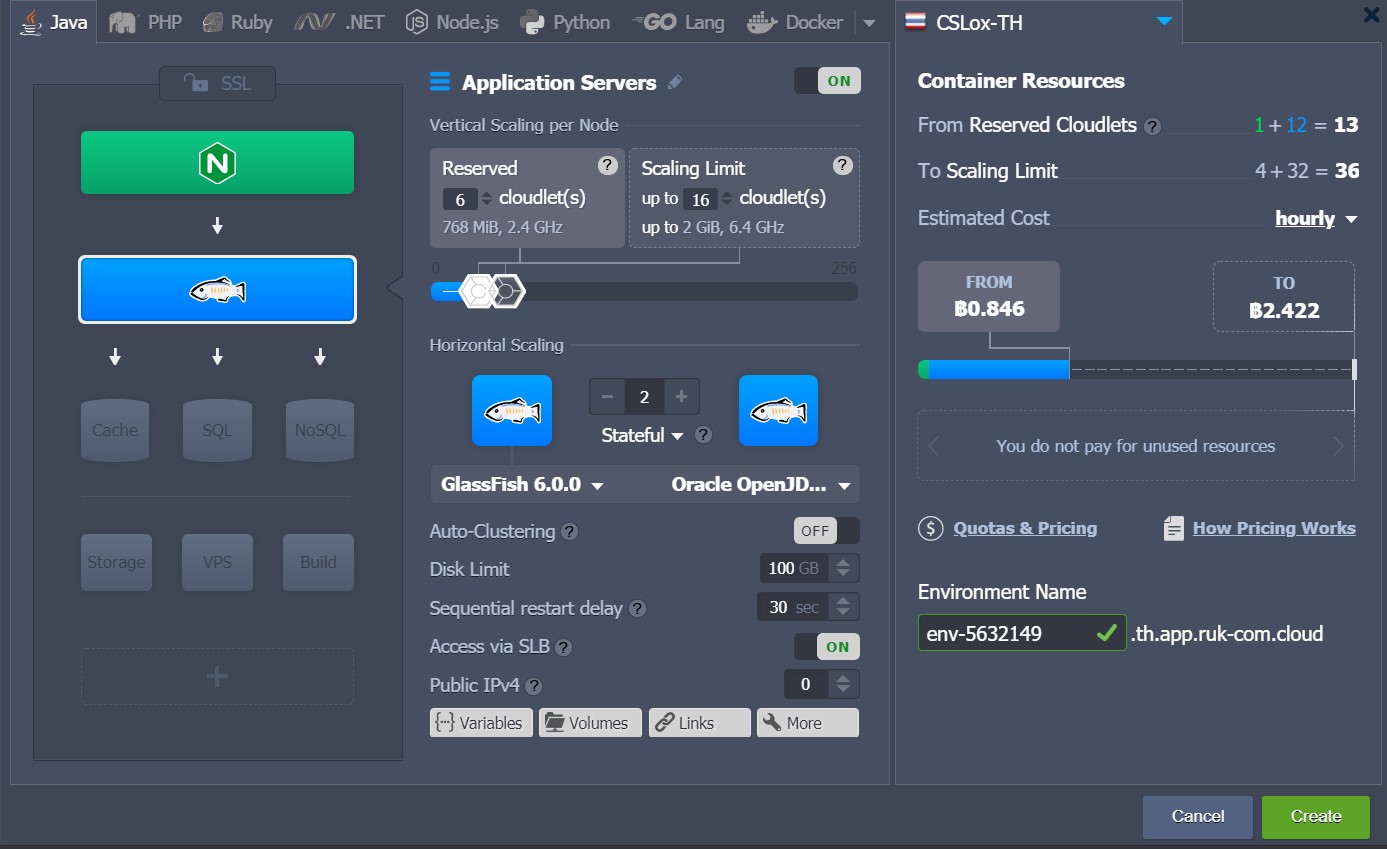
Just like this, you can clickCreateTo create the environment, wait a few minutes and the system will deploy the certified container and send you a notification email when your system is ready.