
Auto-Deploy for Multiple Containers
This guide is maintained for Ruk-Com PaaS. Screens and options may vary by platform version and account permissions.
Confirm the environment, region and account permissions, and back up current settings before changing a production system.
When handling a highly-visited project, it’s commonly recommended to leverage the platform Multi-Nodes feature for ensuring enough performance for your app. Also, you need to consider that with the auto-deploy option enabled for such a project, all of the containers within your application server layer will be updated simultaneously.
Nevertheless, in case you’d like to achieve more high-availability (i.e., for the redeployment to be performed implicitly and consequentially at each node), here are a few options this can be ensured through:
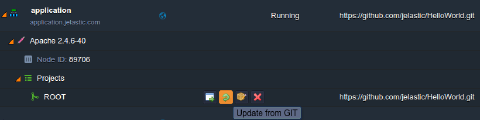
- initiate this operation manually with the corresponding Update from GIT/SVN button (or Build and Deploy for Maven projects) next to app’s context:
 * use the appropriate CLI method for VCS projects’ management:
bash Copy
~/jelastic/environment/vcs/update --envName {env_name} --project {app_context}
- run redeployment through the direct updateAPI request - see the details within the Environment > Vcs section of the linked documentation
In all of these cases, your application servers’ containers will be redeployed one-by-one, and, thus, no downtime will be caused. Furthermore, for more convenience, you can also define the operation of update to be run automatically (e.g., once per required period or upon the source code changes) through building and integrating your own scripts with the above-described CLI or API methods implemented.