
Managing Locale Settings
This guide is maintained for Ruk-Com PaaS. Screens and options may vary by platform version and account permissions.
Confirm the environment, region and account permissions, and back up current settings before changing a production system.
A locale is a set of language and cultural rules, which define preferences that you want to see in your interface and applications. It covers aspects such as language for messages, different character sets, lexicographic conventions, and so on. Below, we’ll overview how to view and change the locale settings on your containers.
- By default, all the platform-managed templates are provided with English language preferences. You can view the current locale settings on the container using the following command (e.g., can be run via Web SSH):
bash Copy
locale -a
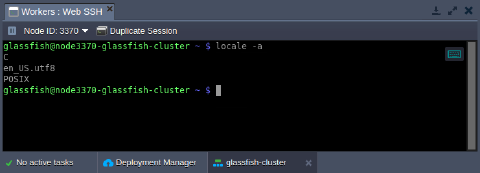 2. To add a new language support, the localedef tool can be used:
bash Copy
sudo localedef -i {language}_{country} -f {codeset} {language}_{country}.{codeset}
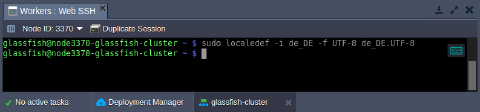 here:
here:
- {language}_{country} - provides language and country code
Tip: Check the list of the locales available for generation by executing the ls /usr/share/i18n/locales command.
_{codeset}* - sets the character encoding identifier (e.g., _UTF-8)
- Verify the new locale addition by checking the list of all supported ones:
bash Copy
locale -a
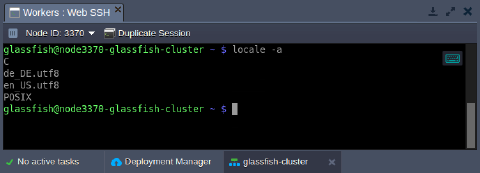 As you can see, the new language was added and can be used by your applications.