
Zero Code Change Deploy with No Vendor Lock-In for Smooth Migration across Cloud Platforms
This guide is maintained for Ruk-Com PaaS. Screens and options may vary by platform version and account permissions.
Confirm the environment, region and account permissions, and back up current settings before changing a production system.
Objective
This guide explains how to use Zero Code Change Deploy with No Vendor Lock-In for Smooth Migration across Cloud Platforms on Ruk-Com Cloud PaaS, with ordered procedures and practical verification points.
Before you begin
- Sign in with an account permitted to manage the relevant environment.
- Confirm the target environment, region and resources before saving changes.
- Create a backup or rollback plan before changing a production system.
Unlike most hosting services, Ruk-Com Cloud PaaS does not force developers to adhere to the specifications of its immutable infrastructure. Owner of the runtime or API to host the project. Such an approach is especially important when moving from virtual machines to traditional (so-called legacy) decomposition containers to microservices. or while moving from one carrier to another.
Eliminating the need to redesign the application, it is easy to deploy using archives (zip, tar.gz, war, jar, ear), FTPS/SFTP, GIT/SVN with automatic updates from the dev panel or through integrated plugins for Maven, Eclipse, NetBeans, IntelliJ IDEA, all of which make entry point easier and smoother and help reduce time-to-market and eliminate vendor lock-in.
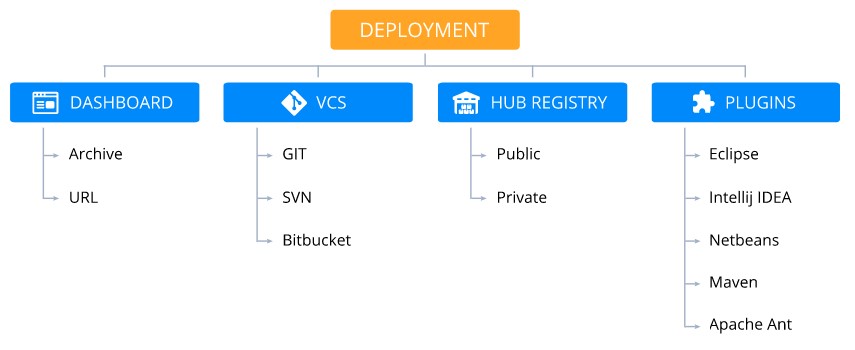
How to change the code to zero As well as supporting applications and systems, containers provide the ability to run both cloud-native microservices and legacy monolithic applications based on Java, PHP, Ruby, Node.js, Python and Docker.
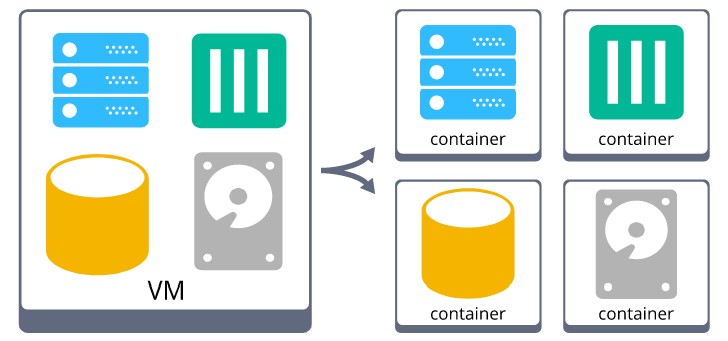
Additionally, deploying and running additional applications within containers is not restricted after migration from a VM, allowing you to:
- Run multiple services within a single container
- Use the required node ports.
- Attach multiple Public IPv4 or IPv6 per container.
- Write to local or remote file system
- Access the container via SSH that is compatible with configuration management tools such as Chef or Puppet.
- Deploy commonly known control panels for VPS and shared hosting management (cPanel, Plesk, and ISPManager).
- Live migration operations are similar to vMotion.
- Deploy Docker Engine in the same way as you would VMs.
- Other operations previously performed within the VPS
Additionally, Ruk-Com Cloud retains the same IPs and hostnames for each container after planned or periodic outages.downtimeAs a result, you will be freed from the need to rewrite the service to provide accurate connection tracking.
Project Deployment with Zero Code Change
To make the above information more clear, we will explain the simple steps required to deploy a project at Ruk-Com Cloud.
1. Create an environment through a comprehensive topology wizard withsoftware stackMany pre-configured tools (such as application servers, database, load balancers, cache, and build nodes)
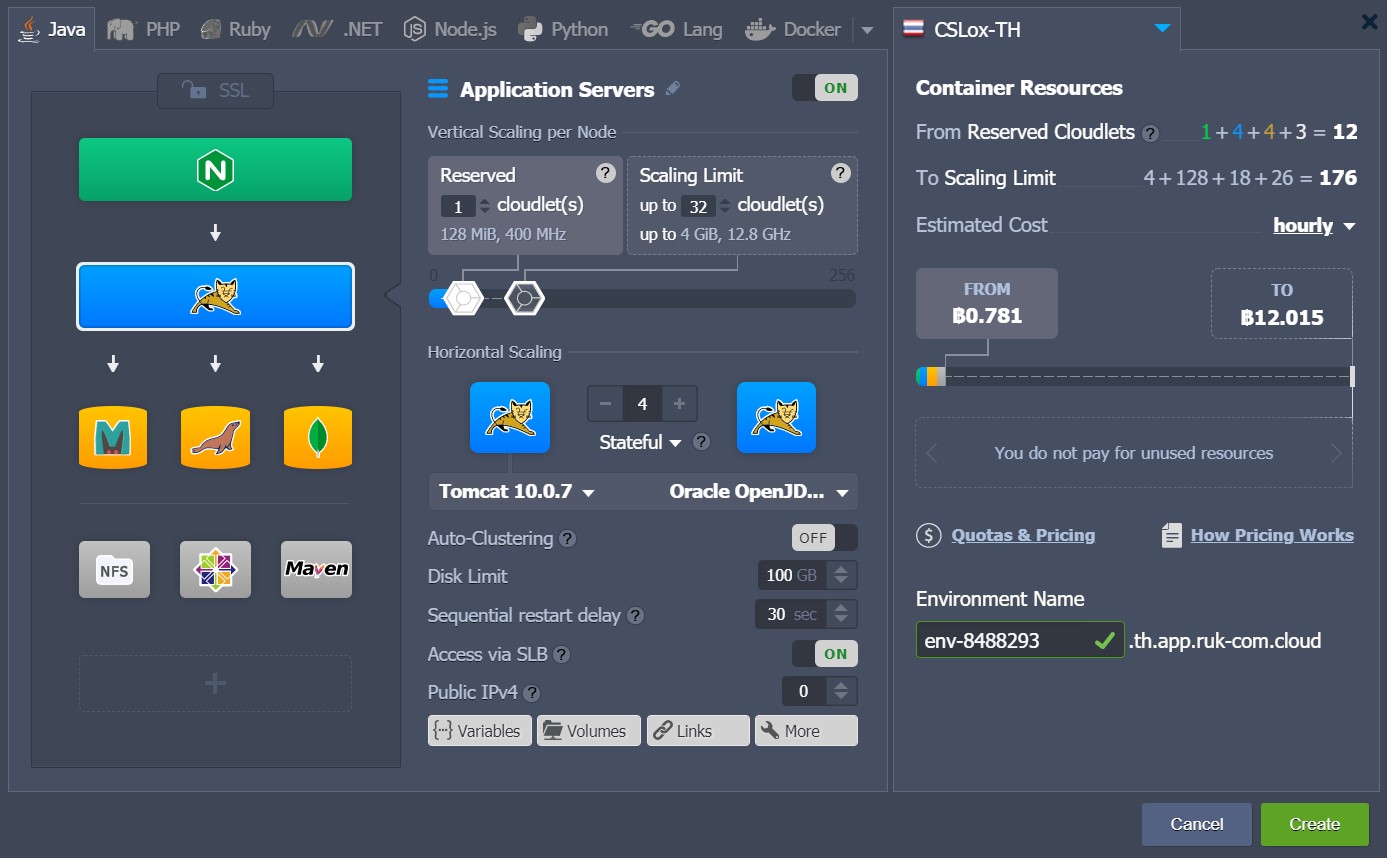
2. Once the appropriate environment has been created, you can deploy your application with one of the supported deployment options:
- Provide an archive (zip, bzip2, tar, tar.gz, tar.bz2, war, jar, or ear) with prepackaged application resources by uploading them to the platform storage or providing a link to the archive location.
- Send installation files viaFTPS/SFTP
- Pull sources from GIT/SVN repositories (you can also set automatic updates)
- Use integrated plugins (Maven, Eclipse, NetBeans, IntelliJ IDEA)
After initialization the entire configuration process (such as connecting to a load balancer, tuning memory usage, enabling SSL or IP if required, etc.) is handled automatically. There is no need to edit the source code, the only adjustments you might need to make is to modify some custom application settings due to a new location (such as an IP address or domain name - all appropriate server configurations are always editable directly through the Ruk-Com Cloud dashboard along withFile managementbuilt-in)
This way you can easily migrate any application to PaaS from the Cloud, VPS or other VMs without having to modify the code.