
Workaround of the Data Synchronization
This guide is maintained for Ruk-Com PaaS. Screens and options may vary by platform version and account permissions.
Confirm the environment, region and account permissions, and back up current settings before changing a production system.
Objective
This guide explains how to use Workaround of the Data Synchronization on Ruk-Com Cloud PaaS, with ordered procedures and practical verification points.
Before you begin
- Sign in with an account permitted to manage the relevant environment.
- Confirm the target environment, region and resources before saving changes.
- Create a backup or rollback plan before changing a production system.
If you need multiple PHP application servers in your environment, you can easily add them without worrying about additional configuration.
Newly added instances can be synchronized with the first added node by performing the following steps:
1. Login to Ruk-Com Cloud dashboard.
2. Click New Environment to set up a new environment in Ruk-Com Cloud.
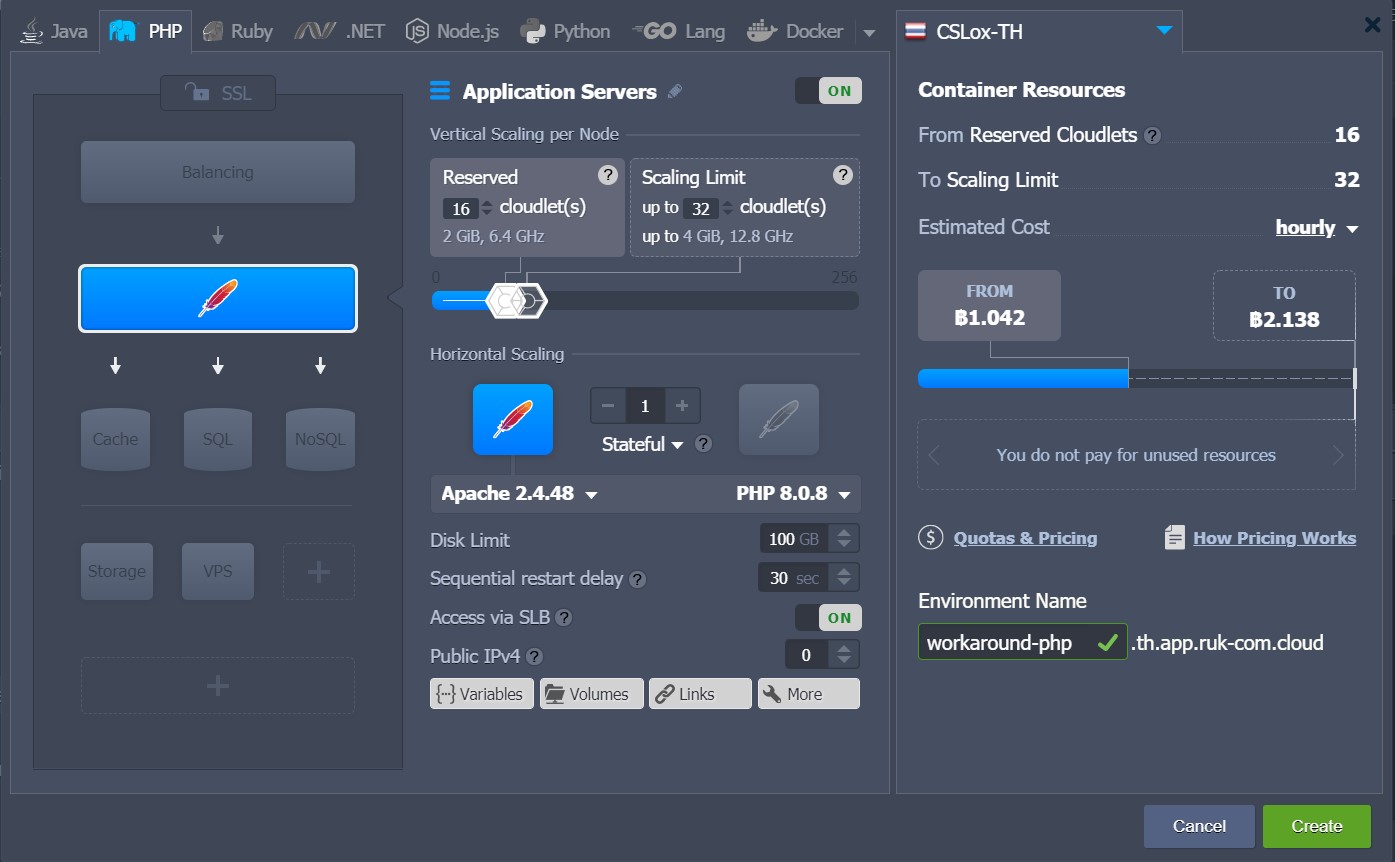
3. On the pageEnvironment topologyYou select one application server and other instances as needed. Then type the environment name and click the button.Create
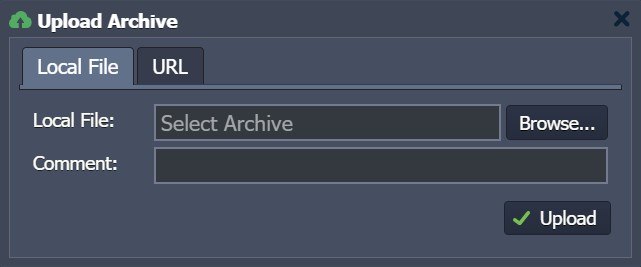
4. Upload your project usingDeployment Manager
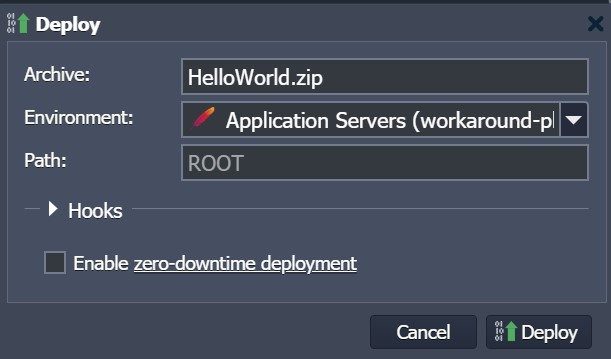
5. Once the file is uploaded Select a file in the list and click the drop-down menu to select the environment where you want to deploy your application. In the window that opens, specifypathApplication goal (If you want to deploy multiple projects on one server) ClickDeploy
6. Your application will be deployed to the selected environment in just a few minutes, after which you can complete all necessary configurations.
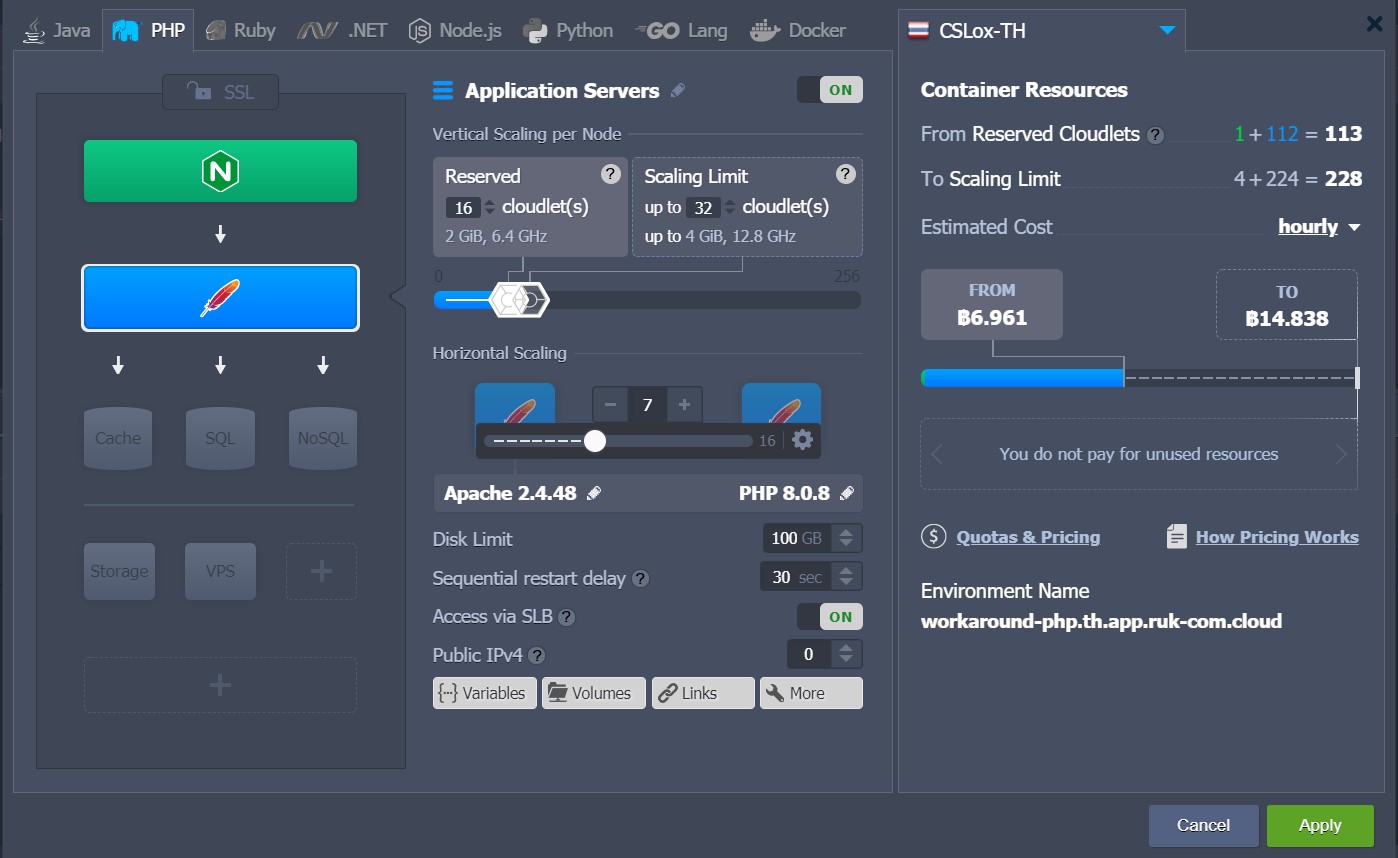
7. Finally, scale your environment horizontally by increasing the number of servers required.
More:
- You must use a file manager while deploying your application to achieve synchronization results.
- This section does not synchronize any additional configuration and data changes, just the default.
- Additionally, you can synchronize your data with the WebDav module. Detailed information on activation and use.WebDavat the platform
- If something needs to be synchronized in an existing environment, you can scale it to a single node and increase the number of instances required. Additionally, you can use the WebDav module or perform manual synchronization throughconfiguration manager
- You can use the default (master) node of a layer as a storage server for sharing data within the entire layer.