
Java Engine Server
This guide is maintained for Ruk-Com PaaS. Screens and options may vary by platform version and account permissions.
Confirm the environment, region and account permissions, and back up current settings before changing a production system.
Java Engine software stack is an image of a base CentOS/AlmaLinux template with the preinstalled JDK. It provides a bare minimum required for Java application hosting, while ensuring compatibility with all of the platform features (automated vertical and horizontal scaling, public IP, isolation groups, firewall rules, API and SSH access, etc.).
Note: This template utilizes a modern systemd initialization daemon.
Create Java Engine
Follow the next simple steps to create a new environment with Java Engine server.
- Log into the platform dashboard and click the New Environment button at the top-left corner.
 2. Within the opened topology wizard, switch to the Java tab, select the Java Engine server and the required JDK version (circled in the image below).
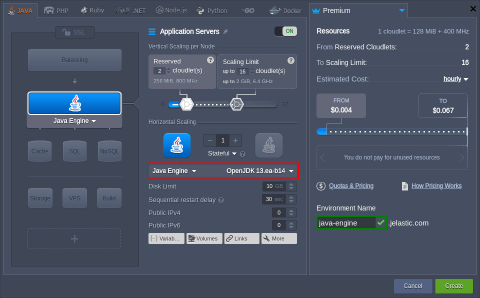 Customize any other parameter up to your needs, e.g., resources limits, disk space, external IPs, region (if available), etc. Click Create to proceed.
- Your environment should be ready in a minute.
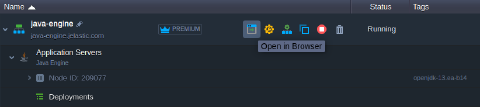 Now, you can start managing your environment:
- Deploy Application
- Bind Custom Domain
- Monitor the Statistics&View Log Files
- Tune the Server Configurations
- Access Environment via SSH
Refer to the Java Developers Center for a complete overview of the Java hosting within the platform.