
App Migration between Clouds
This guide is maintained for Ruk-Com PaaS. Screens and options may vary by platform version and account permissions.
Confirm the environment, region and account permissions, and back up current settings before changing a production system.
Objective
This guide explains how to use App Migration between Clouds on Ruk-Com Cloud PaaS, with ordered procedures and practical verification points.
Before you begin
- Sign in with an account permitted to manage the relevant environment.
- Confirm the target environment, region and resources before saving changes.
- Create a backup or rollback plan before changing a production system.
Ruk-Com Cloud PaaS & CaaS is designed to give developers true freedom of choice: no proprietary APIs, no need to modify application code before hosting, a rich stack and features. And one of the main options that exempt users from lock-in is the feature.Environment Export / Import
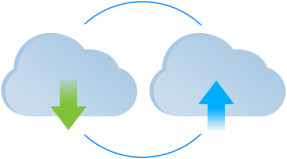
This feature helps in easily migrating applications hosted across existing Ruk-Com Cloud. This way you can switch to the most suitable platform like Ruk-Com Cloud based on your current needs (such as platform version differences or pricing system differences). This can be done as follows:
- Export- Export your environment from the Ruk-Com Cloud installation where it is currently hosted.
- Import- Import to desired target platform
More:
- at presentEnvironment ExportThe feature exports only topology data. Environment imports are created from scratch with no custom internal data.
-Environment Export / Importfeature for correct operation The hosting platform provider should open port 7979, which is intended to download environment source files during the import operation. Therefore, depending on one provider's configuration, environments exported from some partner platforms may not be available for import for installation in Ruk-Com Cloud.
- Also you can use the optionEnvironment TransferringTo move your project to another account on the same hosting platform without needing to export/import