
Java App Server Configuration
This guide is maintained for Ruk-Com PaaS. Screens and options may vary by platform version and account permissions.
Confirm the environment, region and account permissions, and back up current settings before changing a production system.
To perform the necessary configurations, press the Config button next to your application server. In the case you have several application servers you can configure them together or separately. To do this follow the steps:
- Open the drop-down menu at the top of the configuration tab. It includes the list of all of the app servers in your environment.
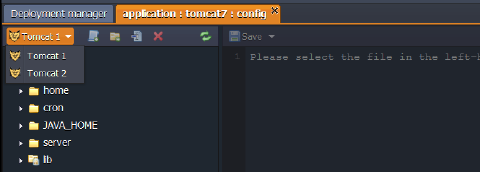 2. Choose the one you need and make the configurations.
- To apply the changes:
- only for the chosen server - click Save only for current instance button from drop-down menu
- for all the servers - click Save
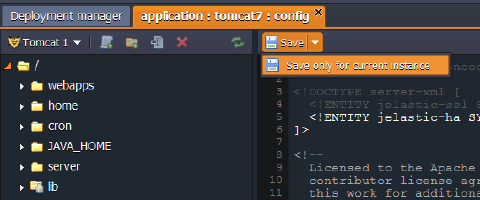
Note: If you create/rename a file or folder in the Configuration manager, this will be applied only in the list of the chosen node. You can’t save this change for all of the app servers available in the environment. If you want to also create/rename the file or folder in the other servers you need to do this manually.
Below you will see the list of the configuration files available for editing in the Java application servers:
To get more information on which settings can be changed in the provided config folders, use the appropriate descriptions:
SERVER
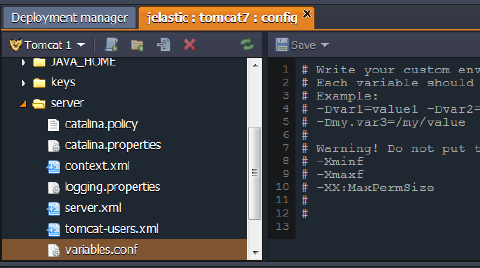
The main Java servlet container configurations are performed in the files, located in the server folder.
Using the following config files, you can perform the actions listed below (these are just some examples):
- context.xml - configure session replication via Memcached
- web.xml - configure remote access via WebDav
- server.xml - enable Multiple Domains
- variables.conf
Copy
-Xmx< size >m
-Xms< size >m
* set your custom [system properties](paas-guide-java-options-and-arguments.html) for your [Tomcat, TomEE, Jetty](paas-guide-custom-environment-variables.html) or [GlassFish](paas-guide-custom-environment-variables.html):
Copy
-Dvar1=value1 -Dvar2=value2
-Dmy.var3=/my/value
*   configure [JavaAgent interceptor](paas-guide-javaagent.html)
*   enable [remote debugging](paas-guide-remote-debugging.html):
Copy
-Xdebug
-Xrunjdwp:transport=dt_socket,server=y,suspend=n,address={port_number}
Note This file is available only for Tomcat and TomEE application servers. For configuring a GlassFish server, use the Admin Panel.
HOME
If you need to use any custom files/folders for configuring your application you can download/create them in the home directory which is used as a storage in your Java server.
As a result you can make configurations specifying the path to your downloaded/created files in the variables.conf file (server folder).
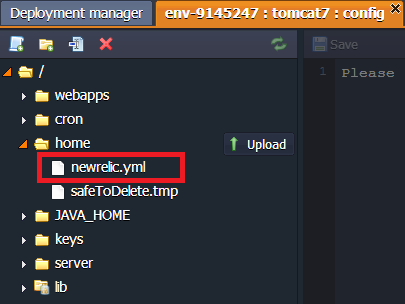
Note: Although the server’s directory, which refers to this folder, can be named temp for some servers, it is never automatically cleaned by the platform system.
WEBAPPS / WORK
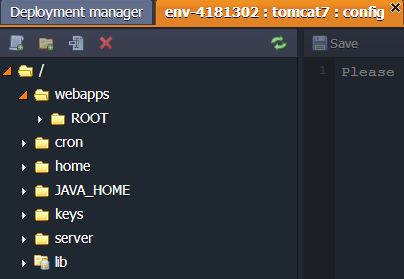
The webapps (for Tomcat/TomEE) and work (for Jetty) folders are used for storing the unpacked application deployed to the environment.
JAVA_HOME
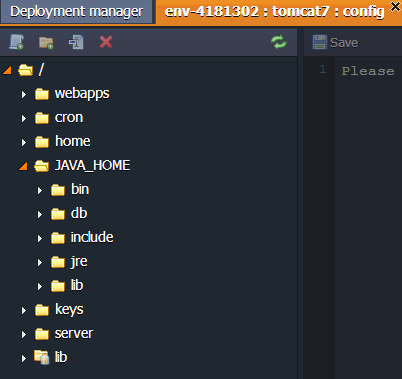
The JAVA_HOME folder contains the java config files and libs. Here, you can edit java settings and upload additional java libraries.
LIB
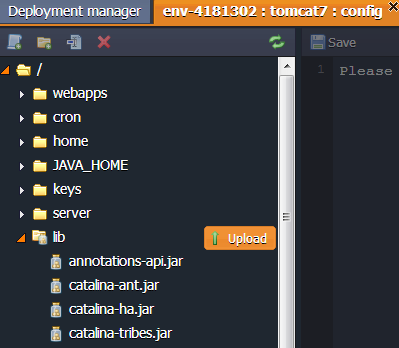
The lib folder is used for storing default and uploading custom jar libraries.
CRON
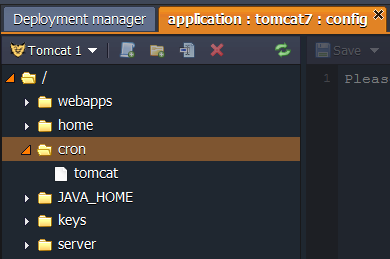
App servers include a cron folder with the config file, where cronjobs can be configured.
Detailed information on Cronjob configuration can be found in the Setting Up a Cronjob document.
KEYS
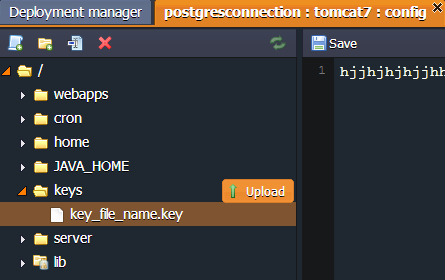
The keys directory is used as a location for uploading any private key which is needed for your application. Generate the key, save it as a simple file and upload to the key folder.
It can be used for different cases by simply stating the path to your key:
Copy
/var/lib/jelastic/keys/{key_file_name}
CONTEXTS
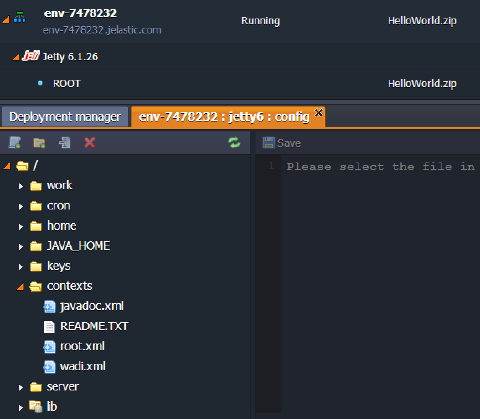
The contexts folder contains XML config files for each deployed context. All of these files are open for editing.
SERVER_LIB
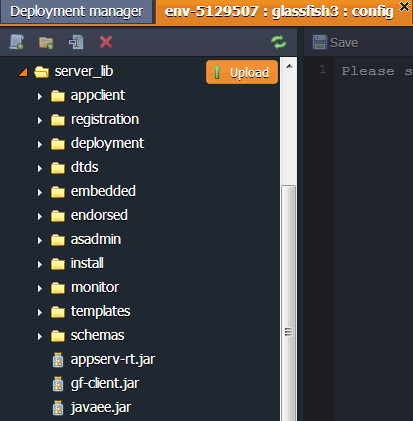
The server_lib folder is the GlassFish config directory with all available server libraries.
APPS
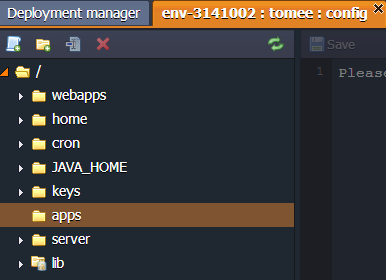
The apps TomEE folder is used for storing the unpacked EE application deployed to the environment.
Tomcat
| Folder | File | Path |
|---|---|---|
| conf | catalina.policy catalina.properties context.xml jaspic-providers.xml jaspic-providers.xsd Ruk-Com PaaS-ha.xml Ruk-Com PaaS-ssl.xml logging.properties server.xml tomcat-env.sh tomcat-users.xml tomcat-users.xsd variables.conf web.xml | /opt/tomcat/conf |
| temp | /opt/tomcat/temp | |
| webapps | /opt/tomcat/webapps | |
| latest | /usr/java/latest | |
| lib | /opt/tomcat/lib | |
| cron | tomcat | /var/spool/cron |
| keys | /var/lib/Ruk-Com PaaS/keys |
TomEE
| Folder | File | Path |
|---|---|---|
| server | catalina.policy server.xml catalina.properties tomcat-users.xml context.xml web.xml variables.conf logging.properties tomee.xml system.properties | /opt/tomcat/conf/ |
| home | /opt/tomcat/temp | |
| webapps | /opt/tomcat/webapps | |
| apps | /opt/tomcat/apps | |
| JAVA_HOME | /usr/java/default | |
| lib | /opt/tomcat/lib | |
| cron | tomcat | /var/spool/cron |
| keys | /var/lib/Ruk-Com PaaS/keys |
GlassFish
| Folder | File | Path |
|---|---|---|
| server | default-web.xml domain.xml domain.xml.bak domain.xml.orig local-password logging.properties logging.properties.orig login.conf server.policy sun-acc.xml wss-server-config-1.0.xml wss-server-config-2.0.xml | /opt/glassfish3/glassfish/domains/ domain1/config |
| gfcluster-config (in server folder) | logging.properties | /opt/glassfish3/glassfish/domains/ domain1/config/gfcluster-config |
| home | /opt/glassfish3/temp | |
| JAVA_HOME | /usr/java/latest | |
| server_lib | /opt/glassfish3/glassfish/lib/ | |
| cron | glassfish | /var/spool/cron |
| keys | /var/lib/Ruk-Com PaaS/keys |
Jetty
| Folder | File | Path |
|---|---|---|
| server | jdbcRealm.properties jetty-ajp.xml jetty-bio.xml jetty-jaas.xml jetty-jmx.xml jetty-logging.xml jetty-plus.xml jetty-rewrite.xml jetty-setuid.xml jetty-sslengine.xml jetty-ssl.xml jetty-stats.xml jetty.xml login.conf login.properties realm.properties spnego.properties variables.conf webdefault.xml | /opt/jetty/etc |
| home | /opt/jetty/home | |
| contexts | /opt/jetty/contexts/ | |
| work | /opt/jetty/work | |
| JAVA_HOME | /usr/java/latest | |
| lib | /opt/jetty/lib | |
| cron | jetty | /var/spool/cron |
| keys | /var/lib/Ruk-Com PaaS/keys |