
Cluster Upgrade
This guide is maintained for Ruk-Com PaaS. Screens and options may vary by platform version and account permissions.
Confirm the environment, region and account permissions, and back up current settings before changing a production system.
The platform actively develops the Kubernetes Cluster solution and regularly releases new versions of the package. Herewith, you don’t need to recreate the whole cluster from scratch to benefit on the new features and tools - the existing environment can be upgraded with a dedicated add-on.
Hover over the Master layer and click the appeared Add-Ons button. Then, in the opened section, select the Upgrade option for the Kubernetes Cluster Configuration add-on panel.
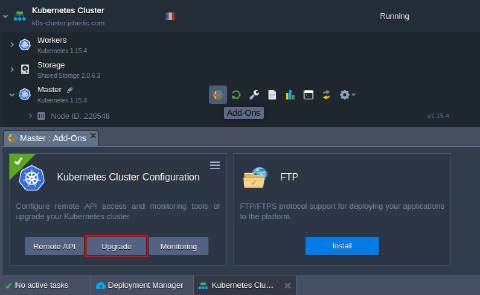 Confirm an action via a pop-up, and the platform will perform an automatic update to the next version of the Kubernetes Cluster. If the latest version is already installed, the appropriate notification will appear on the dashboard.

Tip: Check the Kubernetes Versions documentation page to check the list of the currently available releases and their changelogs.