
Volume Provisioner
This guide is maintained for Ruk-Com PaaS. Screens and options may vary by platform version and account permissions.
Confirm the environment, region and account permissions, and back up current settings before changing a production system.
Kubernetes Cluster implements persistent data with the help of Persistent Volumes (PV) and Persistent Volume Claims (PVC). PV is storage provisioned by an administrator, which is similar to Volumes but with lifecycle independent of any individual pod. PVC is a request for the PV storage with a specific size and access mode.
The platform allows automatically configure NFS volume provisioner during installation. Such a solution automatically provision a persistent volume each time PVC is created. Thus, there is no need to set up PVs with desired AccessMode or StorageClass manually.
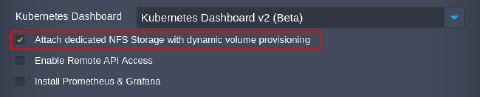
Tip: The platform implementation of the NFS volume provisioner for the Kubernetes Cluster package uses a dedicated Shared Storage Container. You can find it in the environment topology.
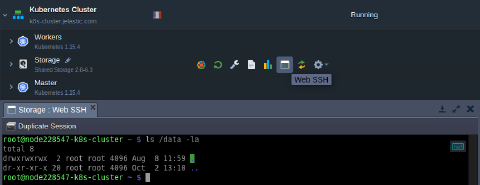 The Ruk-Com PaaS-dynamic-volume is a default StorageClass in Kubernetes Cluster. Herewith, all data is stored in the /data directory.