
Python Connection to MongoDB
This guide is maintained for Ruk-Com PaaS. Screens and options may vary by platform version and account permissions.
Confirm the environment, region and account permissions, and back up current settings before changing a production system.
MongoDB is one of the most popular NoSQL databases, which allows developers to easily work with the stored data. This tutorial provides an example of connection to the MongoDB server from your Python application.
- In our case we have an environment with Python and MongoDB containers inside (you can create such one at any time), but this instruction is suitable for the remote servers as well.
 2. Connect your compute node via SSH Gate.
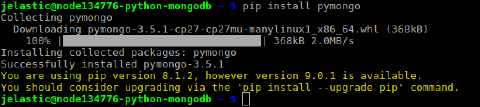
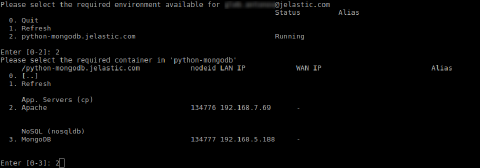 3. Install a MongoDB driver for Python using the command below:
bash Copy
pip install pymongo
 4. Set up a simple script to check your DB server connection. For that use any preferable text editor and create a file with the .py extension (e.g., vim script.py).
py Copy
from pymongo import MongoClient
client = MongoClient("mongodb://{user}:{password}@{host}:{port}")
db = client.{database}
try: db.command("serverStatus")
except Exception as e: print(e)
else: print("You are connected!")
client.close()
Just adjust the connection string with a relevant date, which can be gained from email for your MongoDB node:
- {user} - username to log into database with
- {password} - password for the appropriate user
- {host} - link to your MongoDB container
- {port} - port to be used for connection (use the default one - 27017)
- {database} - database to be accessed (e.g., the default admin one)
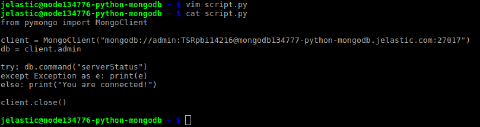 This script will connect to the specified database server and will try to get its status. If any error occurs in the process, its description will be printed; otherwise, just a “You are connected!” string will be displayed.
- So, execute code in the file by running the appropriate command:
bash Copy
python script.py
 The “You are connected!” string ensures that the application was able to connect to the DB server successfully, so you can start managing the database node by extending code with other operations.