
MySQL/MariaDB connection for PHP
This guide is maintained for Ruk-Com PaaS. Screens and options may vary by platform version and account permissions.
Confirm the environment, region and account permissions, and back up current settings before changing a production system.
Objective
This guide explains how to use MySQL/MariaDB connection for PHP on Ruk-Com Cloud PaaS, with ordered procedures and practical verification points.
Before you begin
- Sign in with an account permitted to manage the relevant environment.
- Confirm the target environment, region and resources before saving changes.
- Create a backup or rollback plan before changing a production system.
MariaDB and MySQL are very popular open source databases. that is used by developers all over the world Follow the steps below to learn how to connect your PHP application to a local host.Ruk-Com PaaSGo to one of these database servers.
- create environmentEnv creation
- connect to databaseConnect to the database
- check connectionCheck connection
- execute requestProcess the request
- additional configurationsAdditional configuration
- Log in with your Ruk-Com account and create a new Env.create an environmentwith database serverMySQLorMariaDB(Both of these can be used in theSQLwizard)
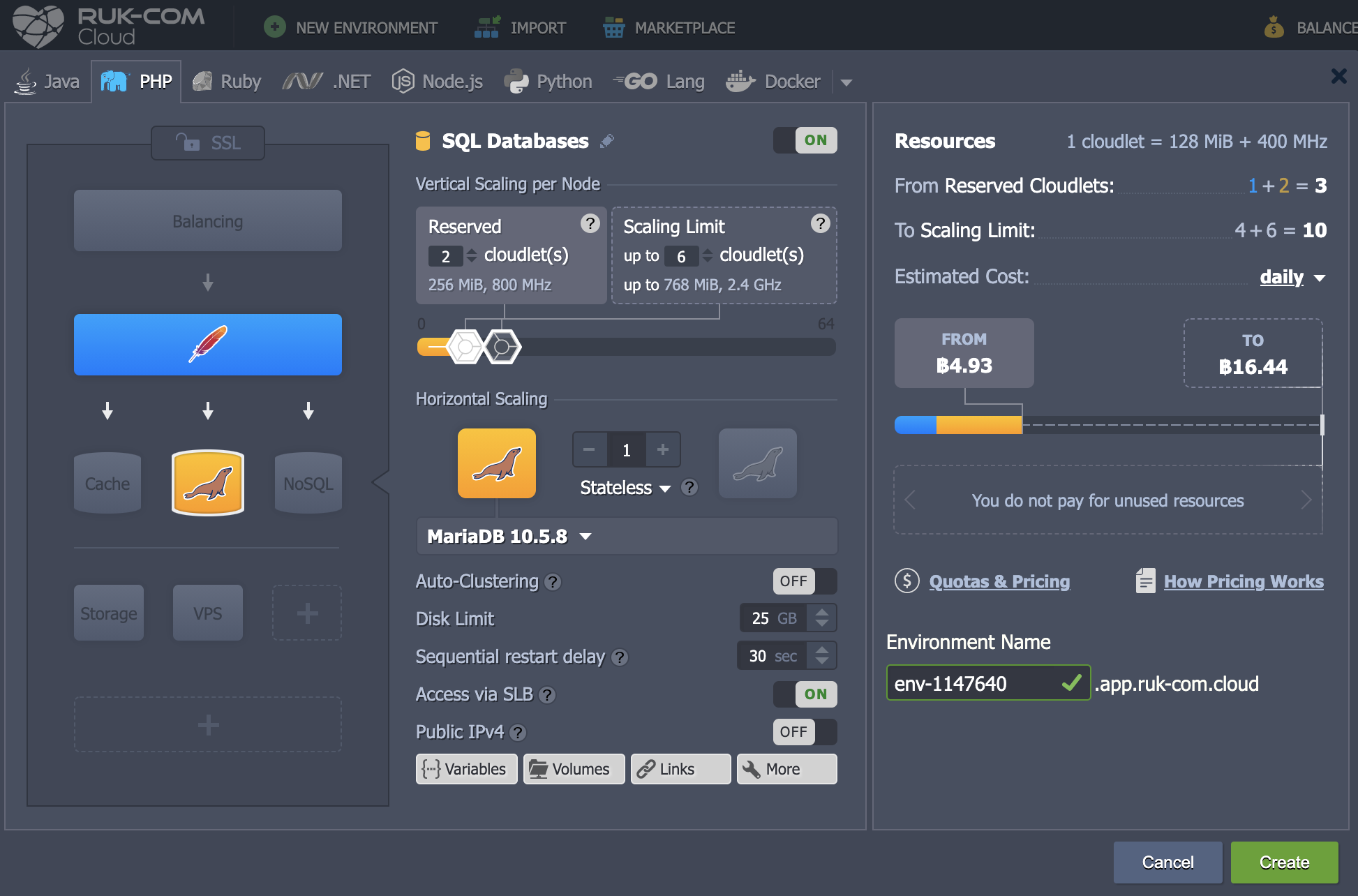
as an example of connection We have added the Apache PHP server application.
- After creating the Env, you will receive an email with the MySQL (or MariaDB) details and connection for the admin.
- Return to the dashboard and click the button.Open in Browserfor the appropriate database node (either MySQL or MariaDB)

Log in to the admin panel using the information received from the email.
- Go to the tabDatabases and press Create to create a new database.(e.g. mysqldb)
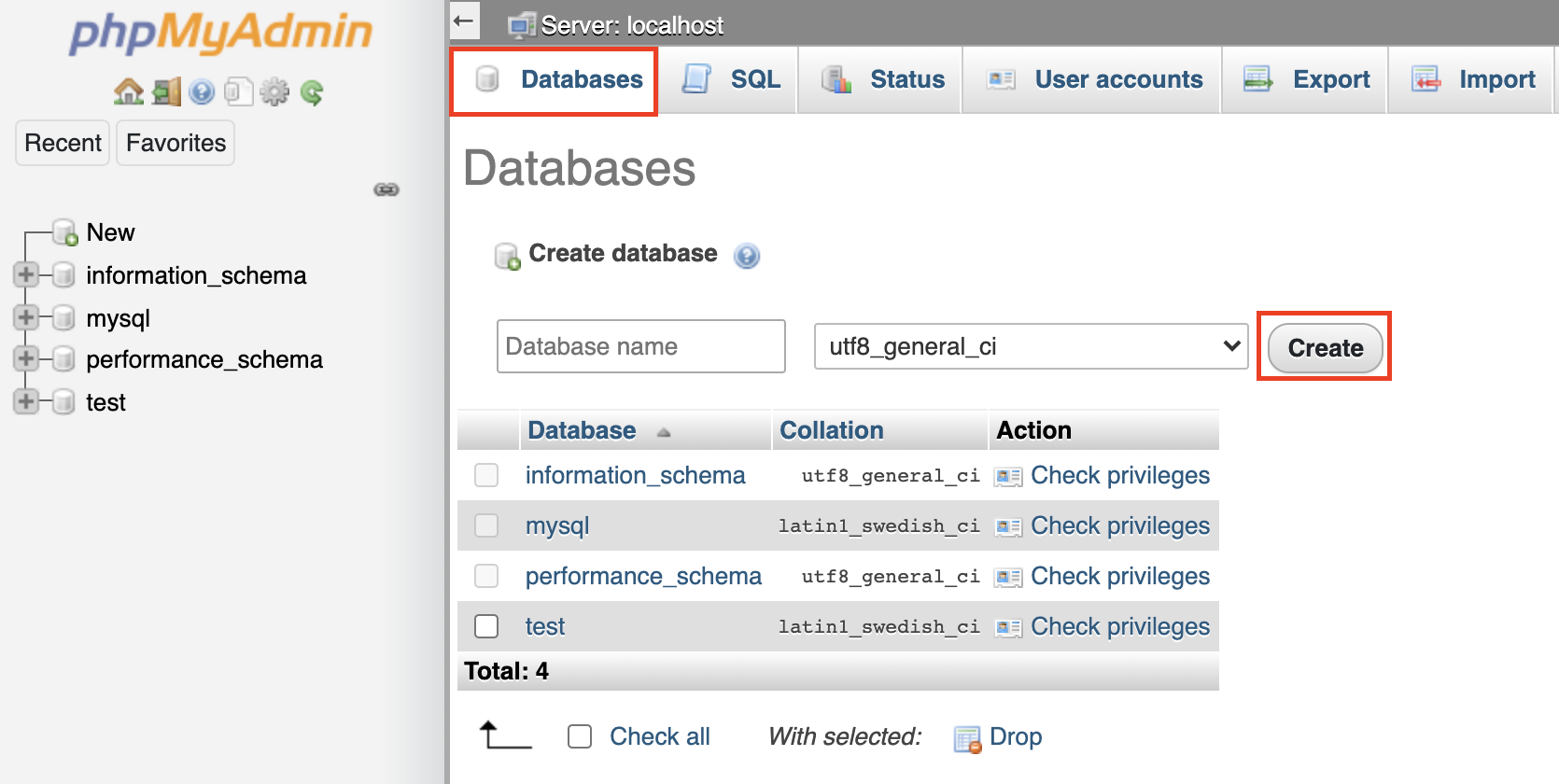
Now you can customizedeployyour application (from an archive or GIT/SVN repository) with the generated Env.
When customizing the project is complete You must connect to the database. For the application it should be properly configured such as using inbuilt extensions.MySQLi(Improved MySQL)
Refer to the official documentation for a complete list of available functions. While we'll only outline the basics below:
- string connection for access MySQL/MariaDB node:
mysqli_connect('{host}', '{user}', '{password}', '{db_name}');The appropriate location should be replaced with connection information from the MySQL or MariaDB node.
- {host}- Link to database node without protocol section
- {user}and{password}- Information of the database administrator (for use It is recommended to create a dedicated account with appropriate access rights)
- {db_name}– Database name (for example, previously the name mysqldb was created)
- For switching to different databases within the same server Use the following function.
mysql_select_db('{connect}','{db_name}');Here the string connection should be replaced using the function mysqli_connect as described above
- To close the connection to the database Proceed as follows.
mysqli_close( );Note: You must specify the required functions on every page of the *.php file that will be connected to the database.
Connection verification
To ensure that everything works smoothly. You can check the connection using this code.
<?php
$link = mysqli_connect('{host}', '{user}', '{password}', '{db_name}');
//if connection is not successful you will see text error
if (!$link) {
       die('Could not connect: ' . mysql_error());
}
//if connection is successfully you will see message below
echo 'Connected successfully';

mysqli_close($link);
?>
Note: Don't forget to substitute the values in{host},{user},{password}and{db_name}To concatenate strings with corresponding values (as described in the Connecting to a Database sectionConnection to the Database)
If everything goes smoothly You will receive a message. When this page is opened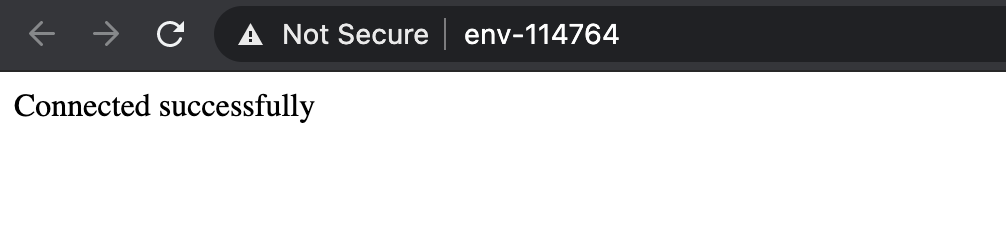
Simple request processing
And here is an example of how to perform a simple request to the database and output it to a table. The plain PHP script below creates a connection to your database server. (Don't forget to include important things like hostname and email details) Connect to existing mysql database, read values from help_topic table and display in custom table.
<?php
// Connection checking:
$link = mysqli_connect('{host}', '{user}', '{password}', '{db_name}');
if (!$link)
{
    echo "<h2>MySQL Error!</h2>";
    exit;
}

// Switch to a different database:
$db="mysql";
mysqli_select_db($link, $db);
// table header output:
echo "<table border=\"1\" width=\"100%\" bgcolor=\"#FFFFE1\">";
echo "<tr><td>Value1</td><td>Value2</td><td>Value3</td>";
// SQL-request:
$q = mysqli_query ($link, "SELECT * FROM help_topic;");
// table-result output
for ($c=0; $c<mysqli_num_rows($q); $c++)
{
    echo "<tr>";
    $f = mysqli_fetch_array($q); // Returns an array that corresponds to the fetched row and moves the internal data pointer ahead.
    echo "<td>$f[0]</td><td>$f[1]</td><td>$f[5]</td>";
    echo "</tr>";
}
echo "</table>";
?>
The result is that you get a kind of index for all available MySQL functions with links to instructions on how to use them.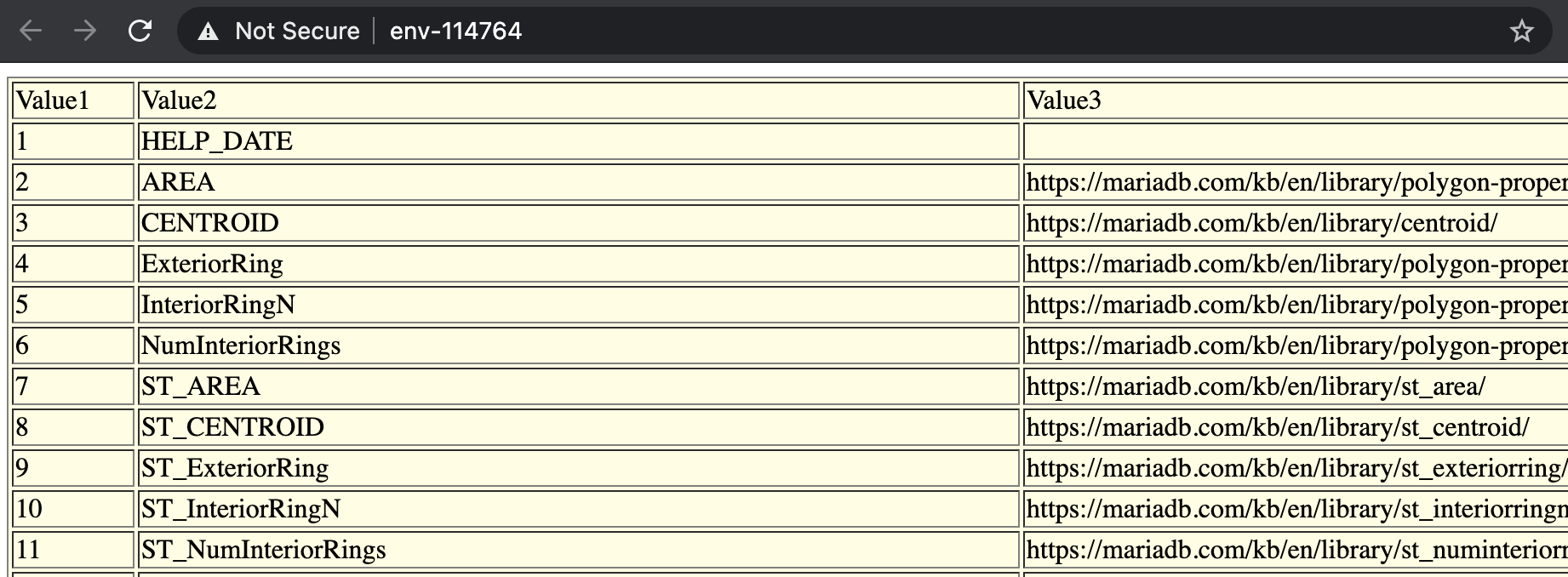
Great, now you can easily connect your PHP application to your MySQL or MariaDB database.
Things you should know
Ruk-Com PaaS allows you to expand server functionality. MariaDB/MySQL This can be done by following the appropriate instructions in our documentation.
- Set the desired database replication type.master-slaveormaster-masterTo achieve increased database performance and prevent data loss.
- adjustBackups SchedulingTo ensure safety of the data in your database in the event of an unexpected server crash.
- See instructions forRemote Accessand learn how to access a database remotely using the MySQL desktop client.
Use the manualDump Files Import/ExportTo find out how you can manually back up and restore your data from where it was previously created,