
Upload JAR Files
This guide is maintained for Ruk-Com PaaS. Screens and options may vary by platform version and account permissions.
Confirm the environment, region and account permissions, and back up current settings before changing a production system.
You can also upload JAR files to your application. All uploaded JAR files are available on all of your application nodes. The platform is compatible with all libraries and has no limitations or restrictions on uploading Java files.
To upload .jar files:
- Click the Config button for the desired instance.

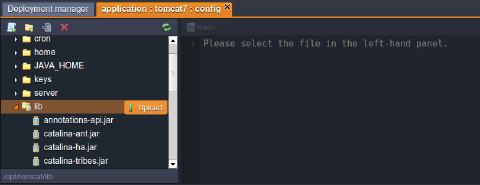
- In the opened tab, hover your mouse over the folder lib and click on Upload.
Multi upload of Java files is available!
 Now you can use the uploaded libraries in your projects!