
Ruby Versions
This guide is maintained for Ruk-Com PaaS. Screens and options may vary by platform version and account permissions.
Confirm the environment, region and account permissions, and back up current settings before changing a production system.
The platform supports all of the latest major releases of the Ruby engine and provides the regular updates of the appropriate stacks, keeping them up-to-date. Currently, the following Ruby versions are available:
- 3.2.11
- 3.3.12
- 3.4.10
- 4.0.6
The up-to-date list of the releases available on the platform is provided via the dedicated, regularly (weekly) updated Software Stack Versions document.
You can choose the required one during environment creation and quickly switch between them afterward.
Create Ruby Environment
- Click the New Environment button at the top of the dashboard.
 2. Within the opened topology wizard, switch to the Ruby tab and select the desired application server (Apache or NGINX). Next, choose the engine version with the appropriate drop-down list in the central part of the frame.
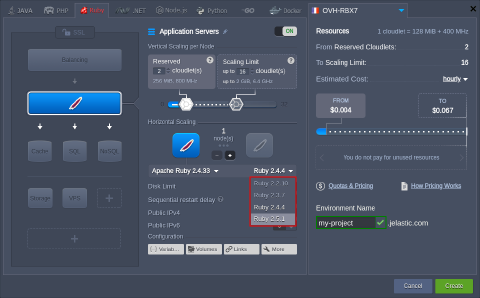 Configure any other desired customization (e.g., cloudlets limit, public IP, region, etc.) and click Create.
Change Ruby Version
For the already existing environments, you can change the Ruby version by redeploying container(s):
- There are two options to access container update dialog:
- via the topology wizard (use the Change Environment Topology button next to the appropriate environment) by clicking on the stack/tag version in the central dialog part
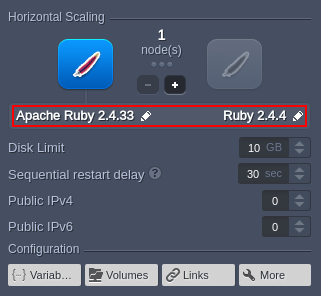 * with the appropriate Rededeploy container(s) button next to the required node/layer
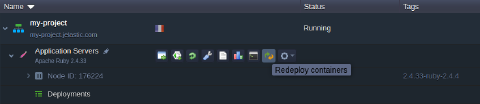
- In the opened window, adjust the following settings:
- Tag - allows choosing the needed Ruby version
- Keep volumes data - saves data in volumes
- Simultaneous or Sequential deployment with delay (for scaled servers only) - defines whether all containers within a layer should be redeployed at once or one-by-one, to avoid downtime
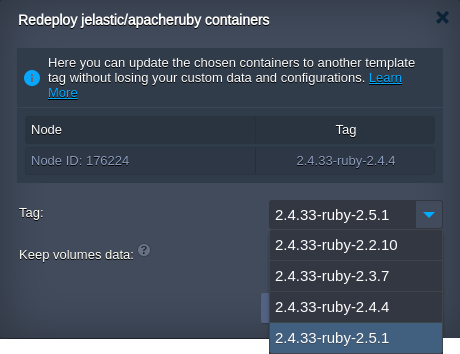 3. Click Redeploy and confirm via the appeared pop-up frame.
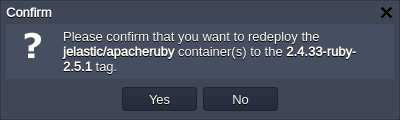 In a minute, the Ruby version of your node(s) will be updated.