
NGINX Ruby
This guide is maintained for Ruk-Com PaaS. Screens and options may vary by platform version and account permissions.
Confirm the environment, region and account permissions, and back up current settings before changing a production system.
The NGINX Ruby stack is HTTP/3 ready with the feature support enabled by default since the 1.16.1 release for Ruby 2.4.9, 2.5.7, 2.6.5, 2.7.0 versions and above. However, a public IP address is required to bypass the Shared Load Balancer and work directly with the server over HTTP/3.
NGINX Ruby software stack is a combination of the highly popular, open-source NGINX web server with the pre-installed Ruby programming language. This combination utilizes the Passenger application server by default, but the stack can be easily reconfigured to change the ruby application server (to either Puma or Unicorn).
NGINX Ruby is suitable for any Ruby application due to its scalability, security, reliability, and cost-efficiency. Creating this stack at the platform can be done in just a few clicks in a matter of minutes.
Note: This template utilizes a modern systemd initialization daemon.
- Click the New Environment button at the top-left corner of the dashboard.
 2. Switch to the Ruby tab of the automatically opened topology wizard and choose NGINX Ruby as your application server. If needed, add any other stacks required for your environment.
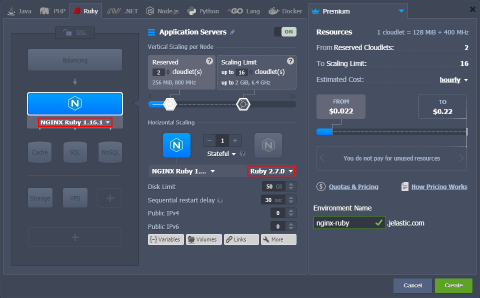 Next, you can configure the Ruby engine version and other parameters of the added stacks using the central part of the wizard (e.g., set scaling limit, nodes count, attach public IPs, etc.). When ready, provide the desired environment name and click Create.
- In a minute, your environment will appear on the dashboard.
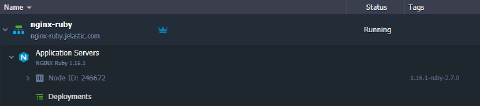 Now, you can proceed to the deployment of your application to the NGINX Ruby serber.