
GIT & SVN Auto-Deploy for Multiple Containers
This guide is maintained for Ruk-Com PaaS. Screens and options may vary by platform version and account permissions.
Confirm the environment, region and account permissions, and back up current settings before changing a production system.
Objective
This guide explains how to use GIT & SVN Auto-Deploy for Multiple Containers on Ruk-Com Cloud PaaS, with ordered procedures and practical verification points.
Before you begin
- Sign in with an account permitted to manage the relevant environment.
- Confirm the target environment, region and resources before saving changes.
- Create a backup or rollback plan before changing a production system.
Managing projects with many visitors We recommend using the Ruk-Com PaaS feature.Multi-NodesThis is to ensure that your app is performing well enough. At the same time, you need to consider that when the option is activated.auto-deployAll containers within your application server layer will be updated simultaneously.
However, in cases where you require highly stable availability (for example, for explicit and consequential redeployment on a per node basis), here are some options that can be ensured through:
- Start this manually by clicking the Update from GIT/SVN (or build and deploy for a Maven project) button next to the app:
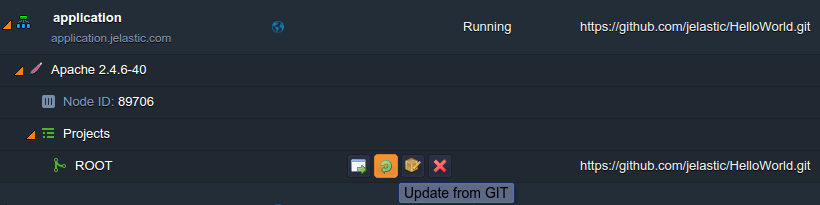
- Use proper CLI methods for managing VCS projects:
~/jelastic/environment/vcs/update --envName {env_name} --project {app_context}- Run redeploy via updateAPI requestDirect - View details within a section.Environment > VcsFrom the attached document link
In these cases, application server containers are redeployed one at a time so there is no downtime. Additionally, for additional convenience, you can schedule update operations to run automatically. (i.e. once per time period the source code is changed) through creating and integrating your own scripts using the CLI or API methods described above.