
Blue-Green Deployment with TD
This guide is maintained for Ruk-Com PaaS. Screens and options may vary by platform version and account permissions.
Confirm the environment, region and account permissions, and back up current settings before changing a production system.
Objective
This guide explains how to use Blue-Green Deployment with TD on Ruk-Com Cloud PaaS, with ordered procedures and practical verification points.
Before you begin
- Sign in with an account permitted to manage the relevant environment.
- Confirm the target environment, region and resources before saving changes.
- Create a backup or rollback plan before changing a production system.
Traffic distributionYou can make so-called "invisible" updates with a blue-green deployment method that will not cause your application to crash. This possibility is absolutely necessary in reality. Today there is rapid development and rapid increase in concurrency as you need to continuously update your projects to meet the needs to win over new users. They generally do not lag behind the competition and if frequently maintained they disrupt application functionality and availability. It will have a negative impact on your service.
So let's see how to get rid of such problems and implement blue-green updates for your applications using the proposed traffic routing methods.
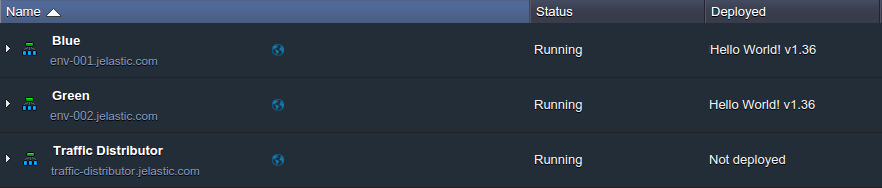
1. Suppose there are 2 environments (withName BlueandGreendefined for each env for better differentiation) Traffic Distributors within separate environments are intended to route traffic between each other:
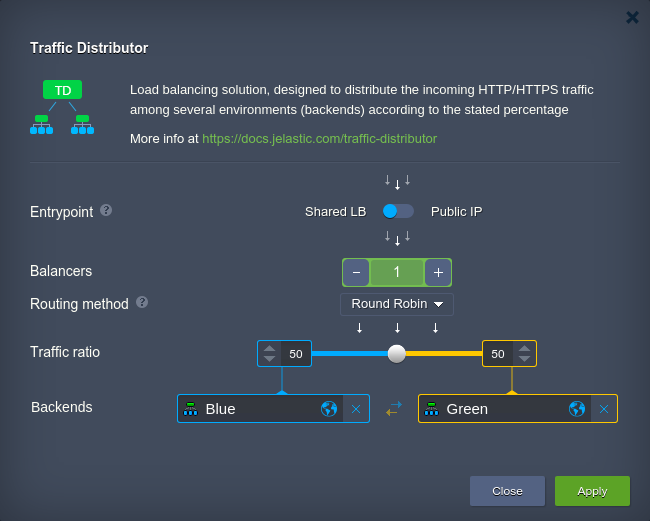
2. In order to update the application on the backends to the latest version without the entire project crashing, it is better to do the reverse. Therefore, as a first step, prevent traffic from going to a specific environment (such as Blue) byConfiguring Traffic Distributoradd-on
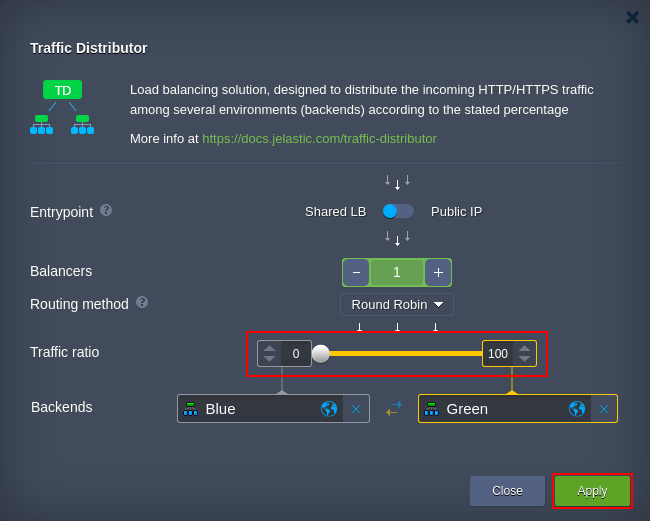
Here, move the Traffic ratio to the position 0... 100 to ensure that the first backend is completely unreachable.
ClickApplyto carry out
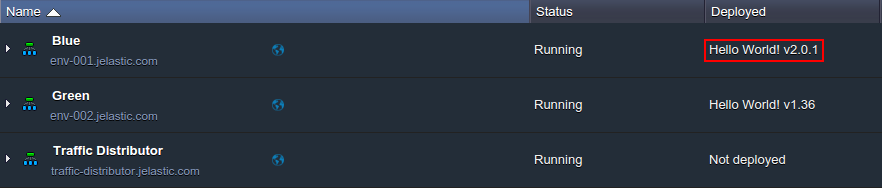
3. When all incoming traffic is processed by the second environment only (Green) You can apply any changes toBlueWithout rushing, for example, deploy and test a new version of the application:
4. Now, since you need to update the project on the second host, repeat steps 2-3 above and change the environment role (e.g. set the Traffic ratio slider to the opposite position 100…0) which will cause the blue project copy to process all requests and green - to continue with maintenance.
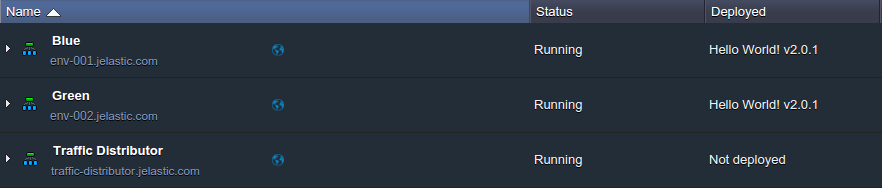
5. The final step opens the Distributor configuration frame again and returns the required server weights to restore the original behavior. For example:
That's it, your application will be updated on both backends while your customers continue to use the service without interruption during the entire process.