
Java Version
This guide is maintained for Ruk-Com PaaS. Screens and options may vary by platform version and account permissions.
Confirm the environment, region and account permissions, and back up current settings before changing a production system.
Objective
This guide explains how to use Java Version on Ruk-Com Cloud PaaS, with ordered procedures and practical verification points.
Before you begin
- Sign in with an account permitted to manage the relevant environment.
- Confirm the target environment, region and resources before saving changes.
- Create a backup or rollback plan before changing a production system.
In the Java environment settings, you can choose the version of JDK you want to run as follows:
- AdoptOpenJDK: 8.0.312; 11.0.13; 13.0.2; 14.0.2; 15.0.2; 16.0.2
- Amazon Corretto: 8.322.06; 11.0.14.10.1; 15.0.2.7.1; 16.0.2.7.1
- Eclipse OpenJ9: 0.11.0 (8u192-b12; 11.0.1); 0.15.1 (8u222-b10; 11.0.4); 0.17.0 (8u232-b09; 11.0.5; 13.0.1); 0.18.1(8u242-b08; 11.0.6; 13.0.2) 0.20.0 (8u252-b09; 11.0.7); 0.21.0 (8u262-b10; 8u265-b01; 11.0.8; 14.0.2); 0.22.0 (15.0.0); 0.23.0 (8u272-b10; 11.0.9); 0.24.0 (8u282-b08; 11.0.10); 0.25.0-16; 0.26.0 (8u292-b10; 11.0.11); 0.27.0 (8u302-b08; 11.0.12); 0.29.0 (8u312-b07; 11.0.13); 0.30.0 (8u322-b06; 11.0.14)
- Eclipse Temurin: 8.0.322; 11.0.14; 17.0.2
- GraalVM CE(Currently only for Java Engine and Maven): 19.3.1; 20.2.0; 21.3.0; 22.0.0.2
- Liberica JDK: 8.0.322; 11.0.14; 13.0.2; 14.0.2; 15.0.0; 16.0.0; 17.0.2
- Oracle JDK Dev: 7.0_79; 8.0_202; 11.0.2
- Oracle OpenJDK: 7.0.261; 8.0.322; 11.0.14; 13.0.2; 14.0.2; 15.0.2; 16.0.2; 17.0.2; 18.0; 19.ea-b16
- Zulu Community: 7.0.332; 8.0.322; 11.0.14; 13.0.9; 14.0.2; 15.0.6; 16.0.2; 17.0.2
For an existing environment, you can change the version by following these steps:
1. Login to Ruk-Com Cloud Dashboard, click New Environment.
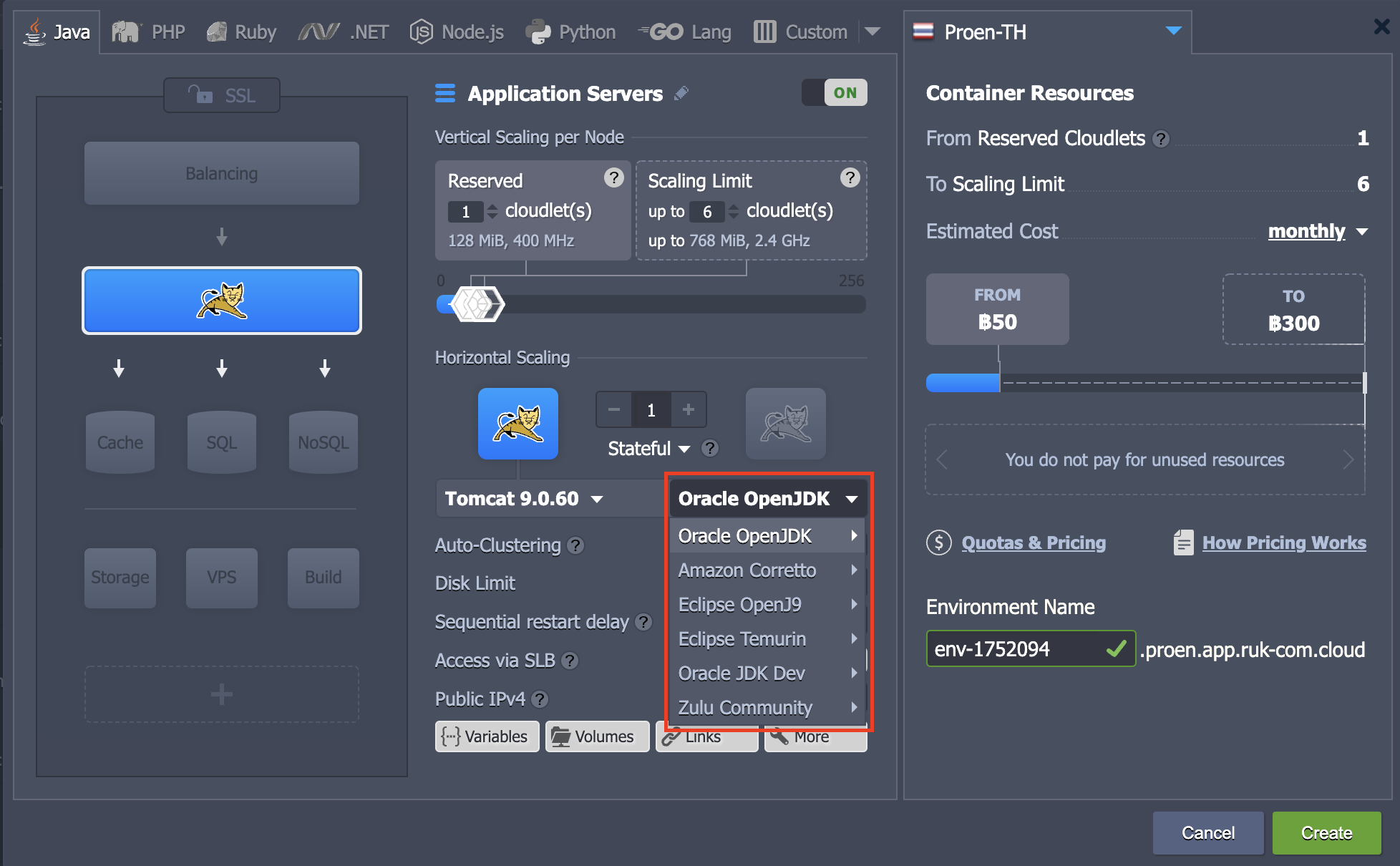
On the Environment Topology page, you select the Java tab and then select the application server. You can choose the version as the picture above shows.
2. If you want to change the Java version for an existing environment, you canredeploycontainer
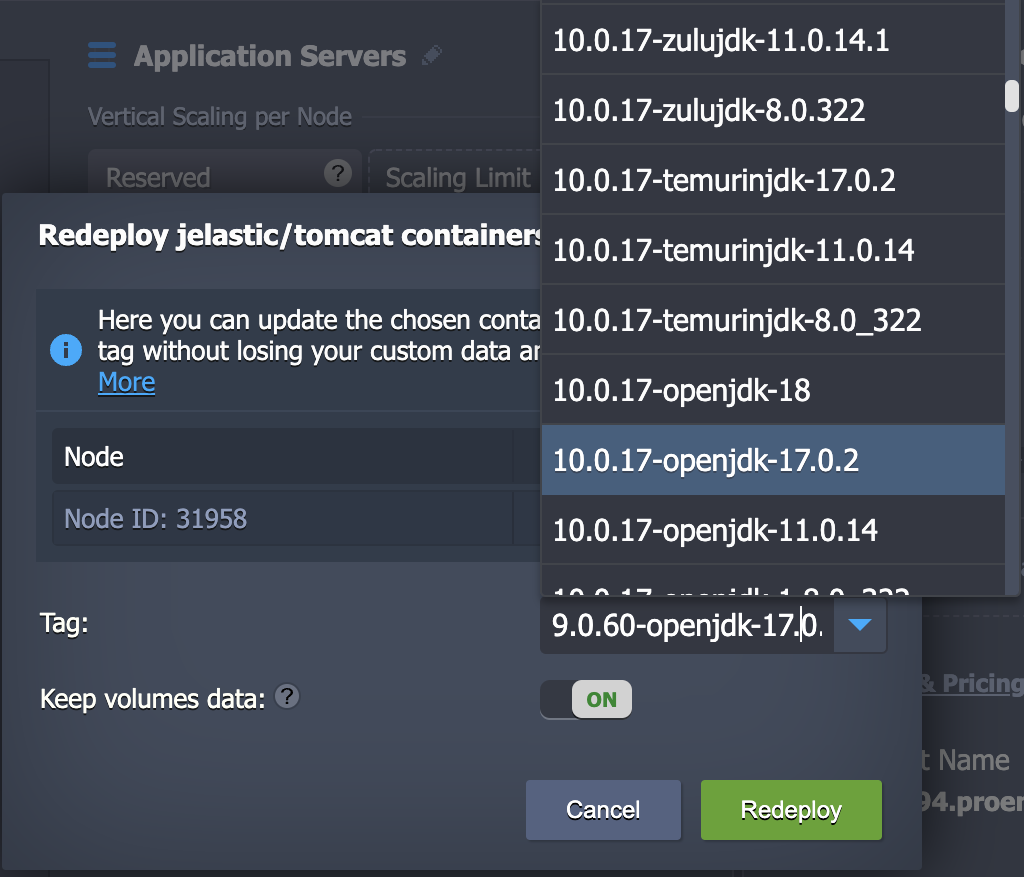
Just chooseTagyou want (JDK Distribution version) and clickRedeploy
Click the buttonYesto confirm the change. After that, wait a moment for the system to change the version.