
Auto-Configurations for PHP Application Servers
This guide is maintained for Ruk-Com PaaS. Screens and options may vary by platform version and account permissions.
Confirm the environment, region and account permissions, and back up current settings before changing a production system.
Objective
This guide explains how to use Auto-Configurations for PHP Application Servers on Ruk-Com Cloud PaaS, with ordered procedures and practical verification points.
Before you begin
- Sign in with an account permitted to manage the relevant environment.
- Confirm the target environment, region and resources before saving changes.
- Create a backup or rollback plan before changing a production system.
Rich dynamic resource composition and PHP enhancements optimize PHP integration with PaaS. When changing the amount of resources allocated to your environment (such as the number of cloudlets), it will automatically adjust the appropriate PHP queries to suit the new conditions. However, you can still manually configure the parameters within the file configuration.
The type of basic request handling system and delivery system differs on different PHP application servers and therefore the commands used also differ. However, the functions of such parameters may be similar. To learn more about these commands for application servers, see the relevant sections below:
Also you can learn how it works. Auto-Configuration Or how to disable automatic optimization by manually reconfiguring these commands?
Apache PHP Automatically Adjustable Settings
Handling dynamic requests in Apache PHP usingpreforkMulti-Processing Module (MPM), which helps reveal the full potential of the server. The MPM commands are listed in the file. Apache's main configuration/etc/httpd/conf/httpd.conf
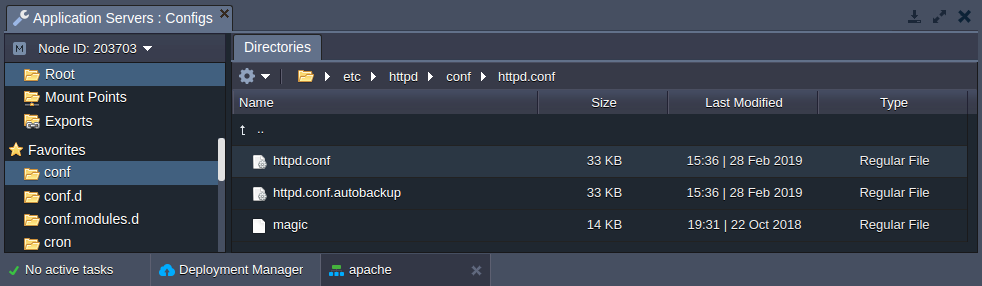
List for all parameters configured forpreforkmodule:
- StartServers- Set the number of child server processes created at startup.
- MinSpareServers(MaxSpareServers) - Set the minimum (maximum) amount of server processing that is kept in reserve.
- ServerLimit- Set the maximum value allowed for the command. MaxRequestWorkers
- MaxConnectionsPerChild- Sets the number of requests that a single child process can serve.
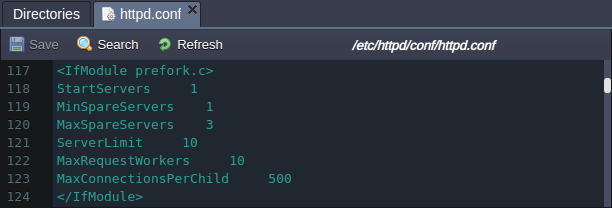
This depends on allocated resources (such as dynamic cloudlets reserved for the Apache PHP server) and the CPU capacity provided by your dedicated hosting provider. The platform will adjust the parameters.ServerLimitandMaxRequestWorkersAutomatically:
MaxRequestWorkers=ServerLimit= min({containerRam}/ 30MiB,{coresCount}* 5 )
Because of this order Both commands are specified equal to the lower value between:
- Allocated to the number of RAM nodes divided by 30.
- The number of physical server cores of the host where the container resides is multiplied by 5.
In this way, the parameters change dynamically based on the number of cloudlets allocated but do not expand beyond the hardware limits.
Note:If you want to specify custom values for these commands Be aware that incorrect values may cause the Apache PHP server to become unstable.
- IfServerLimitMuch higher than necessary unused shared memory will be allocated; If the parameter is specified too low it will not reflect the full potential of the server's performance.
-MaxRequestWorkersIt should be large enough to support as many concurrent requests as you need and small enough to ensure sufficient RAM is available.
You might be interested in how it works. Auto-Configuration Or how to disable auto-optimization to set your own custom values for these commands?
NGINX PHP Auto Adjustable Settings
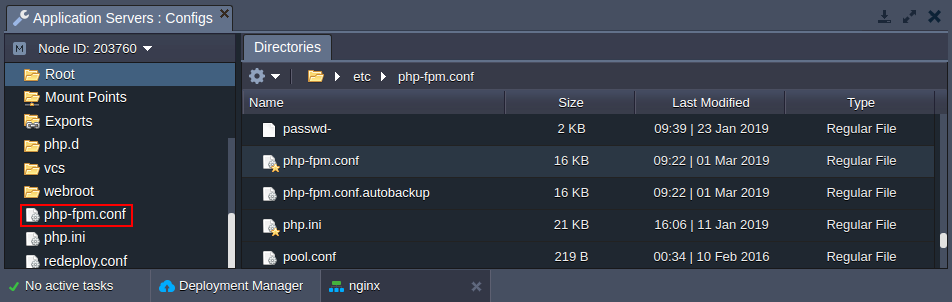
Request management in the NGINX PHP application server is managed by FastCGI Process Manager (FPM), which can be configured through files. /etc/php-fpm.conf which is automatically added to the file manager container favorites for quick access:
FPM works in on-demand mode.ondemand(Commandpm) Default It creates new processes when needed (e.g. upon request) and eliminates unused processes. Additional parameters for this mode are:
- pm.max_children- Set the maximum number of child processes (equal to the number of CPU cores available to the container but not less than 2).
Tips:The exact value depends on the CPU capacity provided by your particular hosting provider and the number of cloudlets allocated for the container. In this way, expanding the number of cloudlets will result in the parameter pm.max_children automatic increase
This directive can be specified explicitly without disabling auto-optimization viaVariableThat's appropriate.PHPFPM_MAX_CHILDREN
- pm.process_idle_timeout- Set a delay before destroying idle operations (60 seconds)
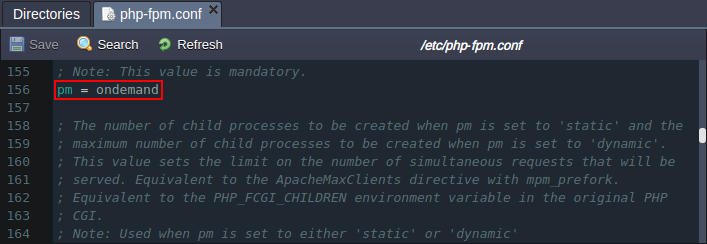
If necessary, you can disable auto-optimization to change FPM mode and adjust other commands (be careful, incorrect values may make the NGINX PHP server unstable).
Additionally, to achieve high performance, the PHP FPM listener uses UNIX domain sockets instead of regular TCP. Such a solution is more suitable for communication within the same host, allowing bypassing certain checks and operations (such as routing).
How PHP Auto-Configuration works
You can check how the above mentioned parameters change according to the allocated resources. For example, Apache PHP server:
1.createNew PHP environment as wellApache PHPLocal server application (If you don't have one yet)
Then click the buttonConfigfor this node and find the module configuration.preforkin the file/etc/httpd/conf/httpd.conf
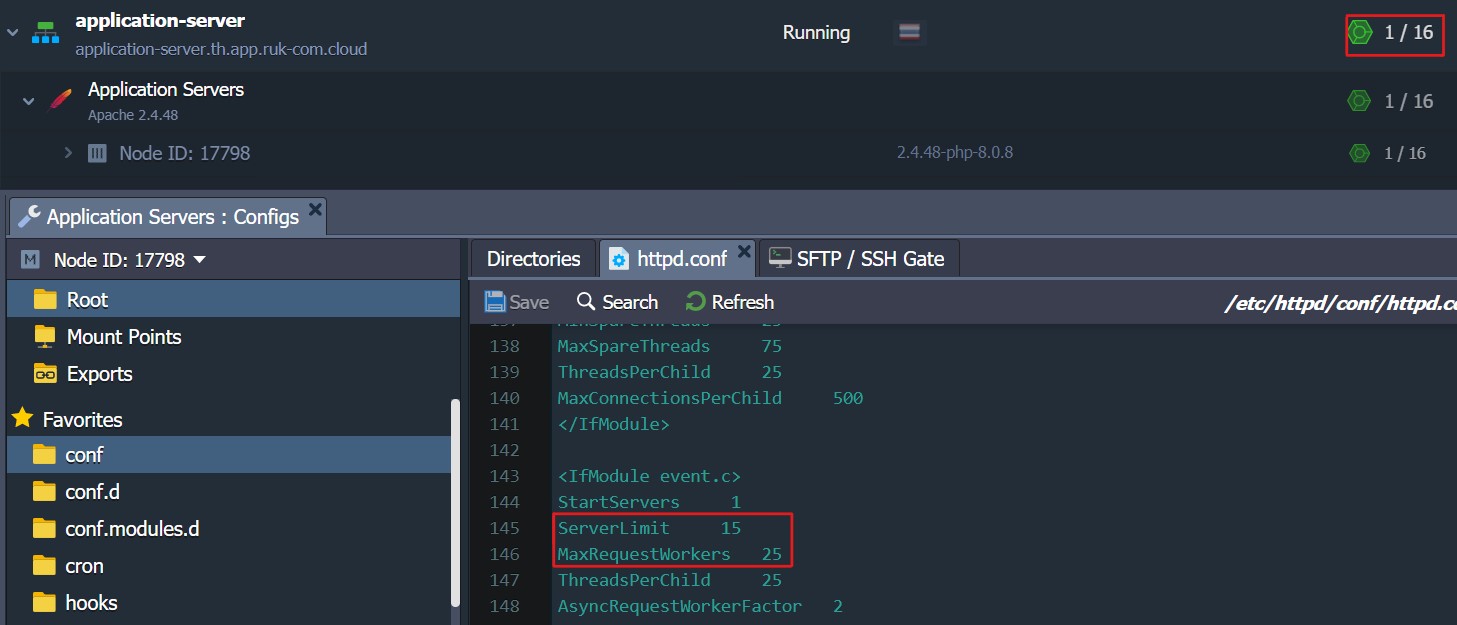
2. Now use the buttonChange Environment TopologyTo set a new resource limit for the Apache PHP server (e.g. 32 cloudlets), refresh the file./etc/httpd/conf/httpd.confand compare the value of the prefork parameter with the value in the previous step.
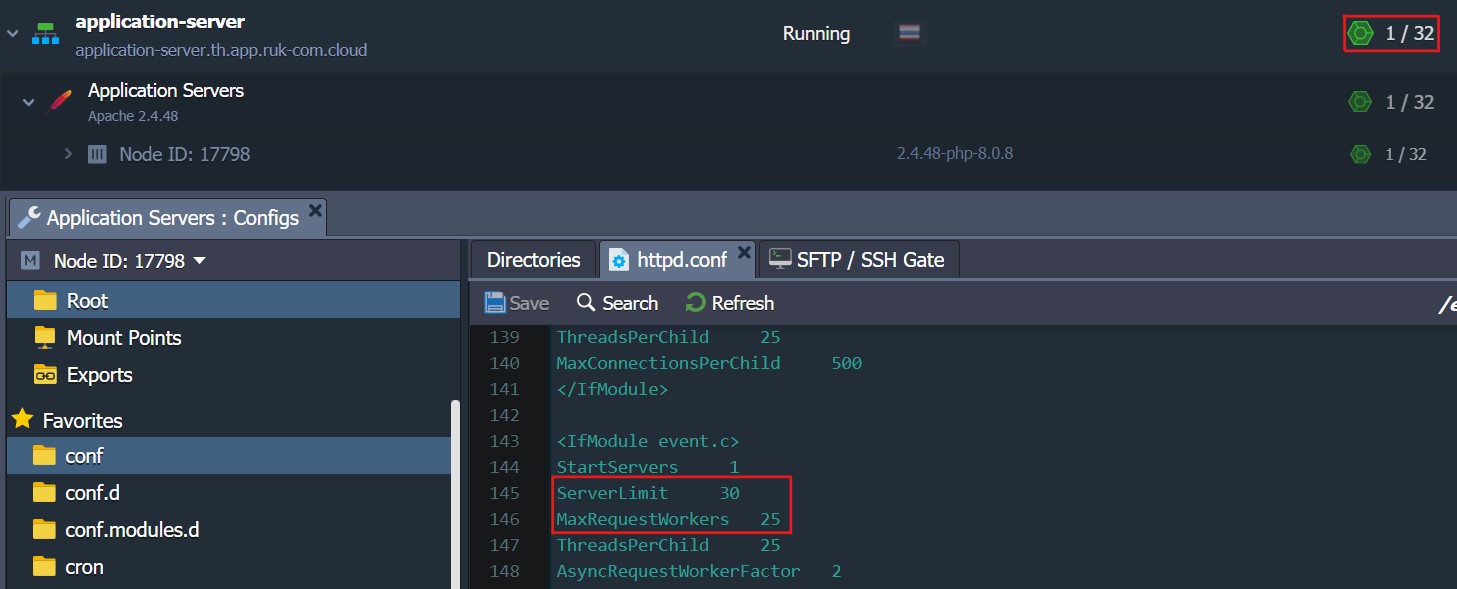
As you can see The value of the command increases automatically as more available resources are allocated. Therefore, the auto-optimization works similarly. As the number of cloudlets is reduced, these parameters also decrease.
How to disable automatic optimization
To specify a custom value instead of an automatically configured command You must disable automatic optimization. Otherwise, your custom changes will be reverted during container restart/update.
More:Improper command values can make your server unstable. Therefore, manual changes are not recommended unless you know what you are doing.
To manually change auto-configured settings, you must set the environment variable.Ruk-Com PaaS_AUTOCONFIGset to false
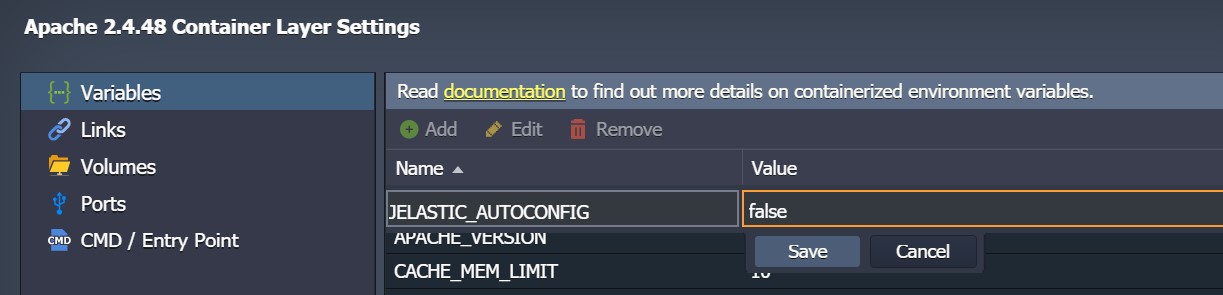
original use
in the old container You need to delete the lines marked with Ruk-Com PaaS optimizations at the beginning of the relevant configuration files:
- Apache PHP- “# Ruk-Com PaaS autoconfiguration mark” within the file/etc/httpd/conf/httpd.conf

- NGINX PHP- “; Ruk-Com PaaS autoconfiguration mark” within the file/etc/php-fpm.conf
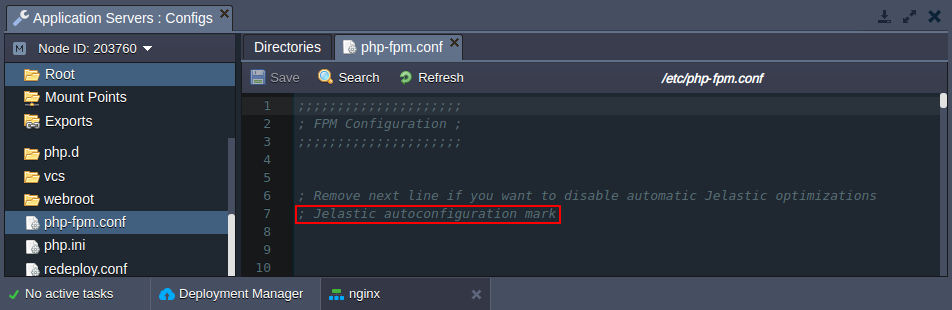
After deleting the corresponding string The values of the parameters are not automatically determined by the optimization mechanism so you can specify custom parameters. Don't forget to save the file to apply the new configuration.