
High Availability with Sticky Session Replication
This guide is maintained for Ruk-Com PaaS. Screens and options may vary by platform version and account permissions.
Confirm the environment, region and account permissions, and back up current settings before changing a production system.
Objective
This guide explains how to use High Availability with Sticky Session Replication on Ruk-Com Cloud PaaS, with ordered procedures and practical verification points.
Before you begin
- Sign in with an account permitted to manage the relevant environment.
- Confirm the target environment, region and resources before saving changes.
- Create a backup or rollback plan before changing a production system.
Ruk-Com Cloud provides automatic session replication between Tomcat, GlassFish, and Jetty servers to provide highly available web applications within a Java cluster.
Session replication is a mechanism used to replicate data stored in a session between different instances which must be part of the same cluster. When session replication is enabled in a cluster environment, all session data is copied on the replicated instance. (recopy) Session replication operations do not copy non-serializable attributes of the session and instance-specific data. Reliable session replication scalability and the ability to support complete failover.
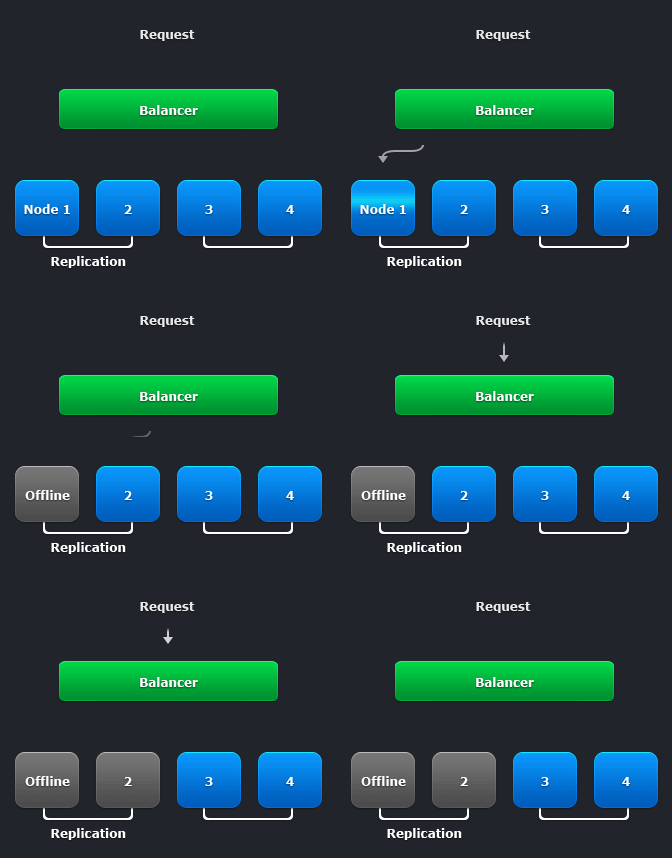
The simulation process in Ruk-Com Cloud with multicast has the following advantages:
- Exchange of sessions between nodes via local net;
- No need to use additional memcache programs, making the system less frustrating.
How to enable session replication
To use simulation in Ruk-Com Cloud, you can do the following:
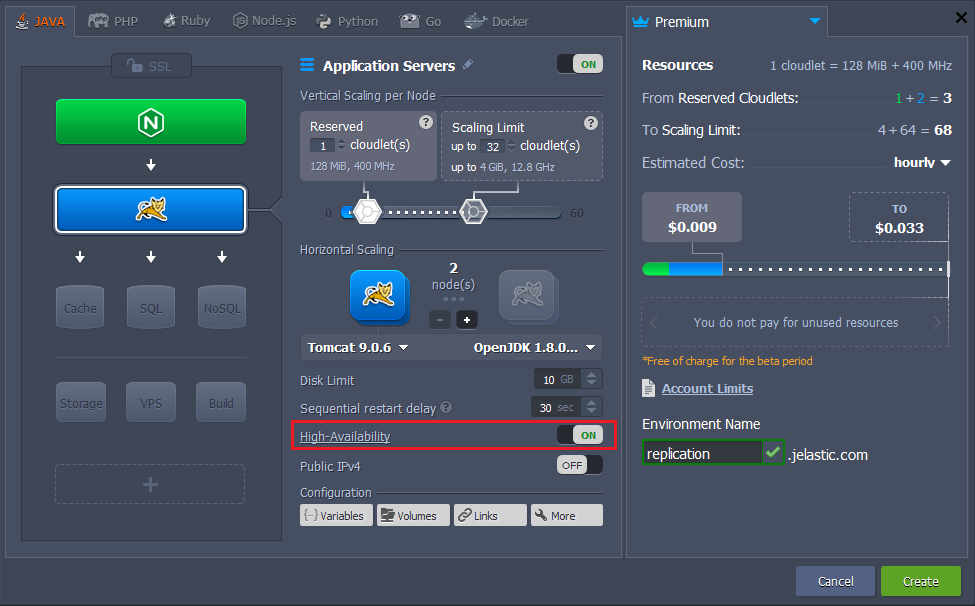
Log into Com Cloud and click New Environment.
Select your desired server application and open it. High-Availability As the picture below:
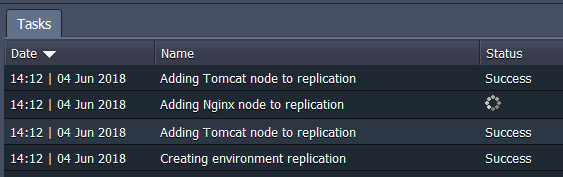
While creating the environment, all operations are displayed in Tasks:
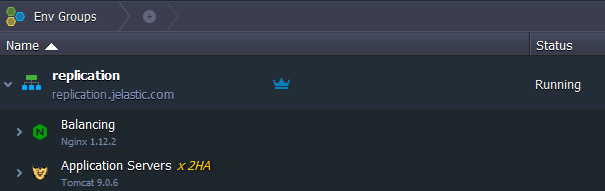
When the environment is finished installing, you will see the environment appear as shown below:
work process
When a user makes their first request to the web application load balancer (NGINX), the request is redirected to one of the servers within the cluster. Throughout the session the user will continue to work on the same application server instance (called Sticky Sessions) when other instances in the cluster are apparently still half-functional.
If any instance fails Users residing in that instance will be automatically switched to another instance in this cluster by replication. Make the other instance already have all the sessions of the failed instance. Therefore, the end user will not notice any changes. In the event that both instances in the cluster fail, this is highly unlikely. The user will be redirected to another cluster. (If there are many items)
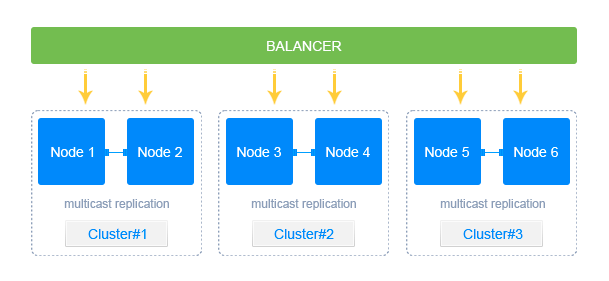
Users can also enable/disable simulation within a pre-built environment by changing the topology.