How to top up Ruk-Com Cloud
This guide has been reviewed and reformatted for Ruk-Com Cloud PaaS. Screens may vary slightly by platform version.
Click or tap a screenshot to view it at its original size.
Objective
This guide explains how to use How to top up Ruk-Com Cloud on Ruk-Com Cloud PaaS, with ordered procedures and practical verification points.
Before you begin
- Sign in with an account permitted to manage the relevant environment.
- Confirm the target environment, region and resources before saving changes.
- Create a backup or rollback plan before changing a production system.
Ruk-Com Cloud is a Pay per Use system, where the user deposits money into the account and the money is deducted according to the resource usage tariff, which collects resource usage statistics every 20 seconds, converting it into an equivalent amount according to the tariff set for each hour.
1. LoginRuk-Com Cloud DashboardClick the Upgrade Account button above.

2. Fill in personal information and read.Terms and conditions of serviceof Ruk-Com, then clickUpgrade
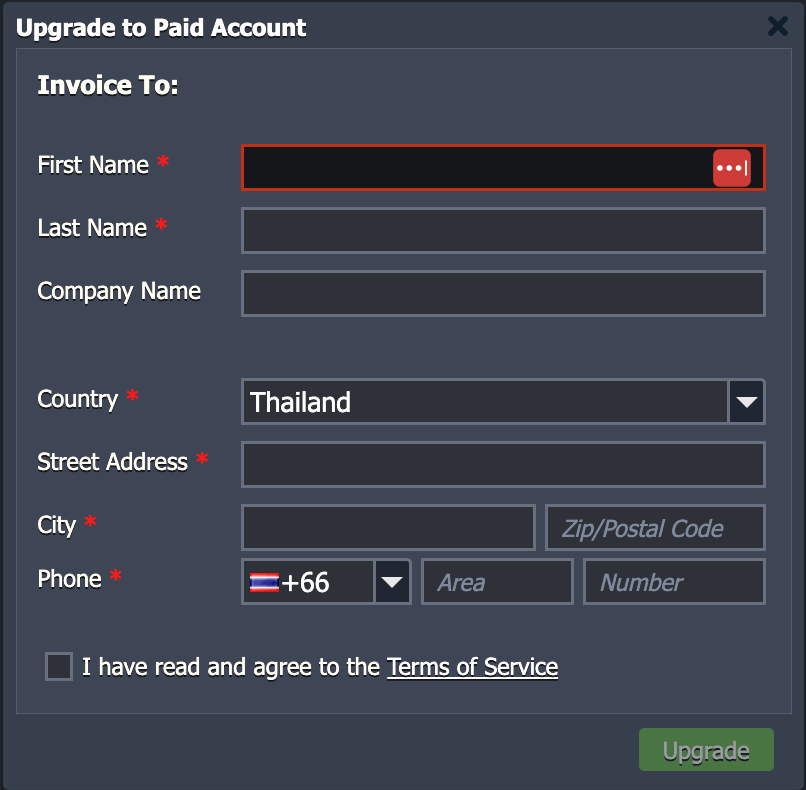
Phone* : such as phone number 0801234567specifyArea080Number1234567 You can do it.
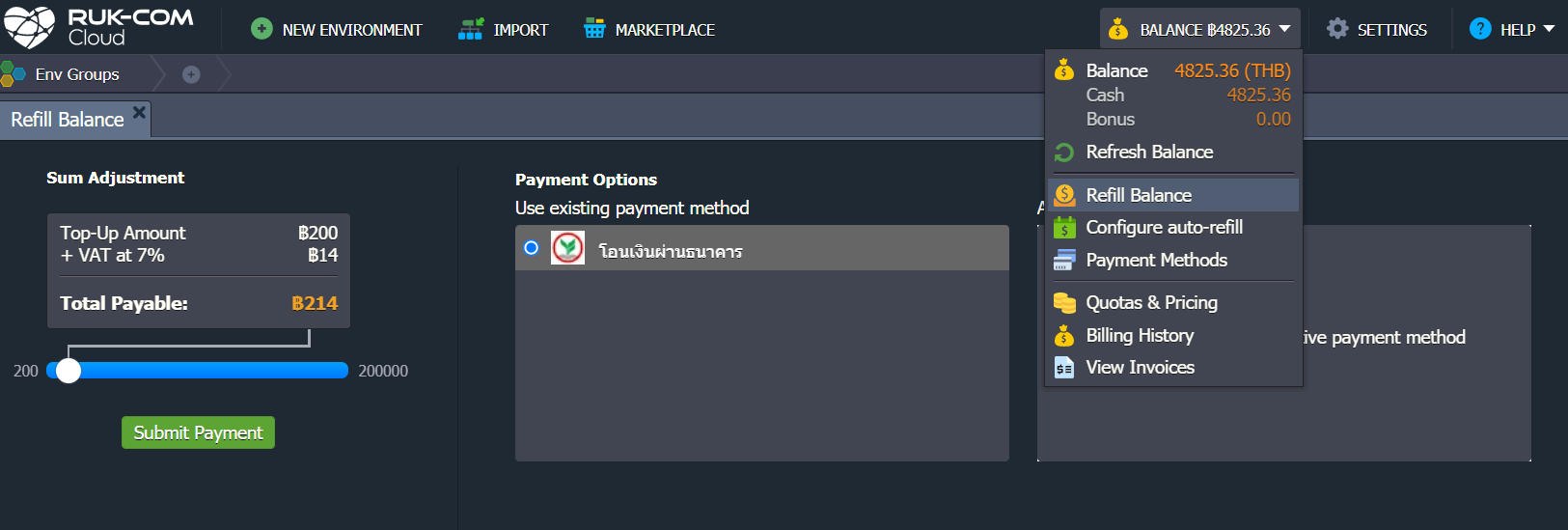
1. LoginRuk-Com Cloud DashboardClick the Balance button in the top right corner and select Refill Balance.
You can adjust the amount you want to top up (minimum 200 baht) then press the button.Submit Payment
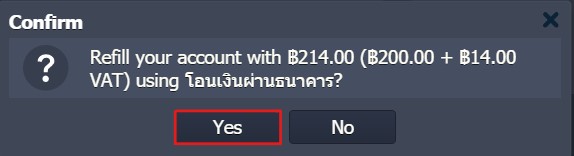
2. Confirm adding money to your account by pressing the button.YesThen wait a moment and the system will send a payment invoice to your email.
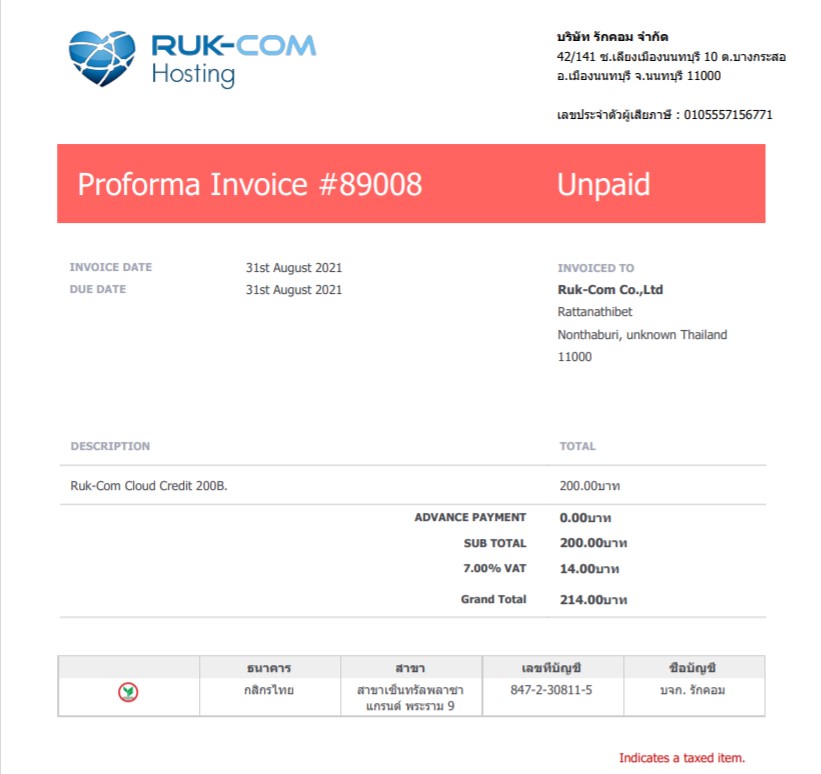
3. You can pay by transferring money via any bank into your account. After transferring, click this link toRuk-Com customer portal
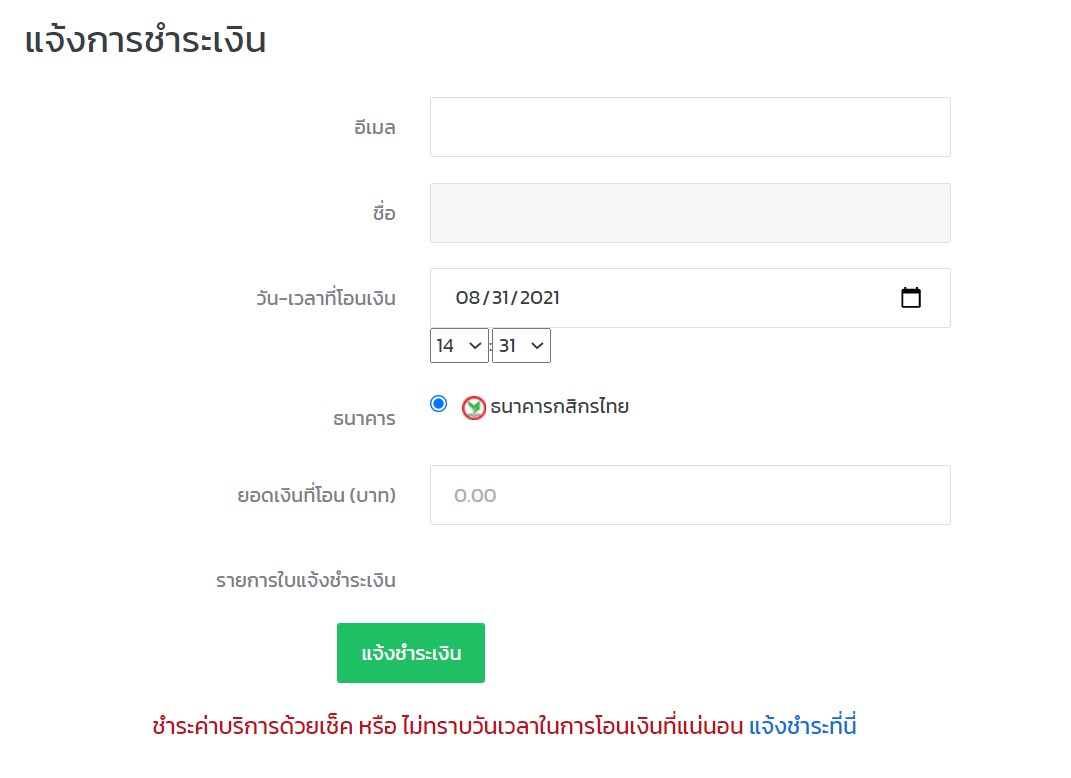
4. Once payment has been made, you will receive an email confirmation immediately from the automatic system.